Connection ErrorBad RequestThis page went staleSession ExpiredSign in requiredForbiddenNot FoundToo Many RequestsServer ErrorBad GatewayService UnavailableGateway TimeoutHTTP Version Not Supported
Session Expired
Your session has expired. Please log in to continue.
Sign in required
You need an account to do that. Sign in or create one — it only takes a minute.
This page went stale
Your security token was rejected, usually because the page sat open too long or you signed in elsewhere. Nothing was saved. Reload the page and try again.
Request Failed
We encountered an issue while processing your request.
Please check your internet connection and try again.
Since no one has downloaded it yet, Fixs_3.1 updated it again. He got carried away and forgot to add something.
You have a very good understanding of the Heroes 5 interface.
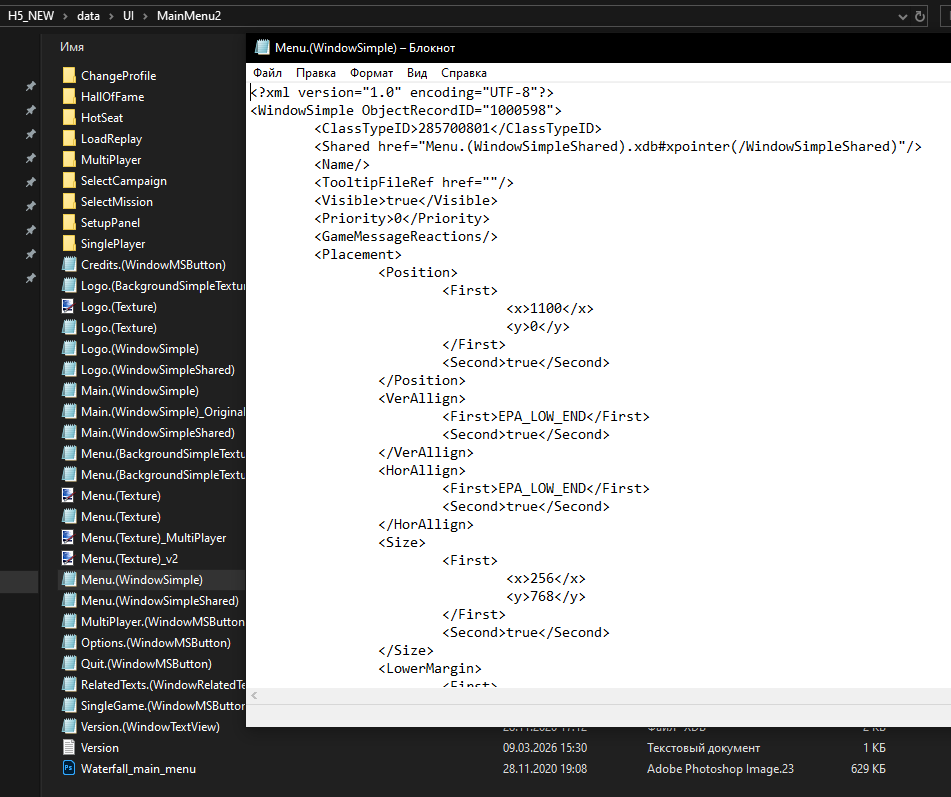
Maybe you know the reason for the problem: recently, people who are downloading the mod on Windows 11 have started complaining that the buttons are shifting 500 pixels to the right (making them invisible). There were no complaints before because everyone was on Windows 10. But now they have appeared...
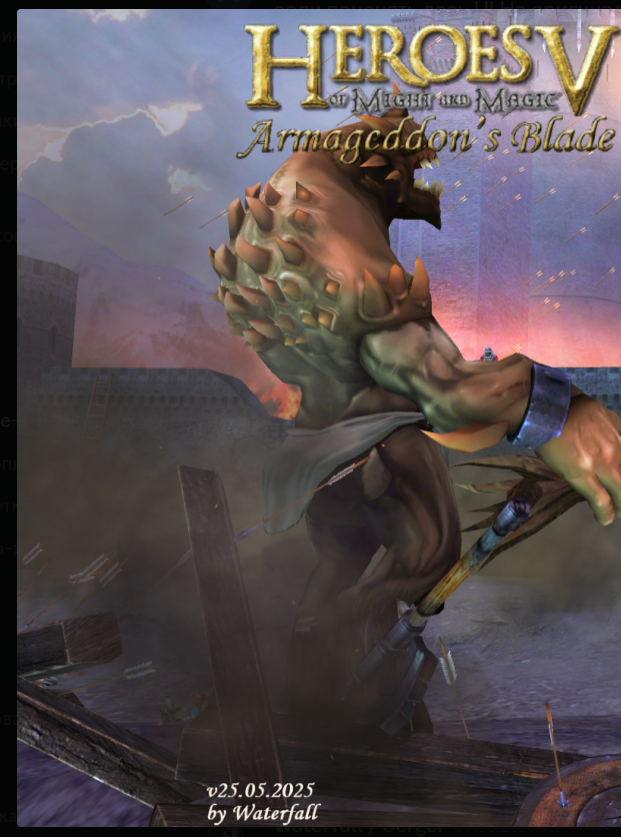
In short, the button window starts at 1100 pixels. And this was precisely calibrated so that on a 1920x1080 screen, the buttons are where they should be, while the main window starts on the left, near the edge – that's what I thought. But for people on Windows 11, it looks like this:
I'm on Windows 10, and everything is displayed correctly for me, like this: At the same time, I thought that EPA_LOW_END(true) should stick to the edge of the screen...
The fact that the versions at the bottom of the screen are different can be ignored; I created the menu in November 2020 and haven't changed the window and button settings since.
Maybe there is a way to make the buttons stick to the right edge... then I can simply set the button window to start not at 1100 pixels, but at 0
Basically, the button window starts at 1100 pixels. And this was precisely calibrated so that on a 1920x1080 resolution, the buttons would be where they need to be, while the main window starts from the left edge, or so I thought.
The images aren't showing, and the page takes a long time to load because of them.
There are no 1100 pixels. The interface is assembled in 1024x768 and proportionally stretched by the game to higher resolutions. Above 1024x768, it goes beyond the screen.Waterfall_13
Maybe there's a way to make the buttons stick to the right edge... I'll just set the button window to start not at 1100 pixels, but at 0.
EPA_HIGH_END - alignment to the right/bottom edge EPA_LOW_END - alignment to the left/top edge EPA_MARGIN - stretch to the entire screen ERA_CENTER - position in the center can be used in conjunction with the (x/y) values in the Position section; it will not be taken into account until the value in the Second section = false.
Download some mod, like Necro Buttons, and see how it is displayed on the adventure screen at different resolutions and what settings are in its files for this.
Images aren't showing, and the page takes a long time to load because of them.
There are no 1100 pixels at all. The interface is built at 1024x768 and is proportionally stretched by the game to higher resolutions. Above 1024x768 - it's off-screen. vova2112 gave you advice on this topic, there isDownload some mod, like the necro buttons, and see how it displays on the adventure screen at different resolutions and what settings in its files are used for that.
Portraits of regular creatures, first-tier upgrades, renegades, neutrals, heroes, and war machines are no longer blurry.
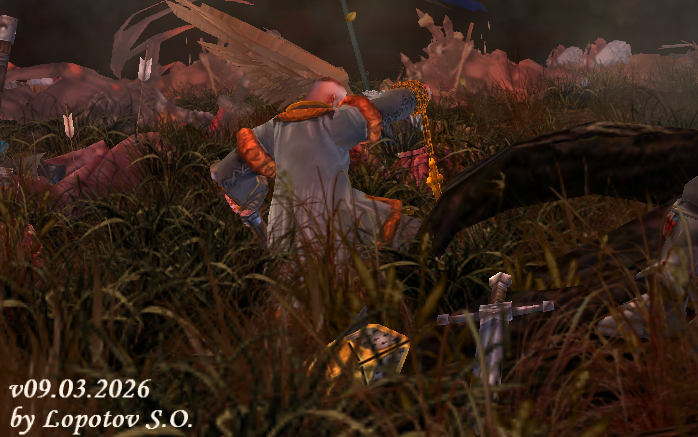
Unlike this mod, this fix does not touch creature or hero files. The mod is fully compatible with fan-made maps and mods that have modified creature and hero files. Creatures in the Sacrificial Pit are displayed correctly (second screenshot). I'm also attaching the mod separately.
Regarding war machines. Their x128 portraits were over-compressed, which prevented proper scaling down to small icons. I restored these four portraits to their normal state, and they work perfectly now. If anyone has recolors or other changes in their mods, they will simply replace them.
Unlike this mod, this fix does not affect creature or hero files. The mod is fully compatible with fan maps and mods that have modified creature and hero files. Creatures in the Sacrificial Pit are displayed correctly (second screenshot). I'm also attaching the mod separately.
p.s. didn't quite work out with the war machines.
hmmmmmmmmmmmmmmmmmmmmmmmmmmmmmmmmmmmmmmmmmmmmmmmmm.... a fairly simple and trivial mod, just making small tweaks to the .hdb files, and what a result! I like it, looks nice )))
anyway, the reason I'm writing this. Could you tell me if there are any other mods like this? Ones that make other pictures in the game less blurry WITHOUT adding anything, purely like in your mod — just fixed the .hdb icon files and that's it. No edits, no fixes, no "well, it looks better this way so I decided to add it", no improvisation of any kind whatsoever. Just fixing the .hdb files like you did. And would you be interested in trying to combine all these mods (if there are any others) into one, making a big texture pack with non-blurry pictures throughout the entire game? :D
This fix, unlike this mod, does not affect creature and hero files. The mod is fully compatible with fan maps and mods that have made changes to creature and hero files. Creatures in the Sacrificial Pit are displayed correctly (second screenshot). I'm also attaching the mod separately.
p.s. didn't quite work out with the war machines.
Thanks, we're making the game in 4k ) Tell me, did you upscale it using a neural network?
Hmmmmmmmmmmmmmmmmmmmmmmmmmmmmmmmmmmmmmmmmmmmmmm. It's a rather simple and trivial mod, only making small changes to the .hdb files, but what a result! I like it, it looks great.)))
What I'm actually writing about is: can you tell me if there are any other similar mods? Mods that change other in-game images to be less blurry WITHOUT adding anything, just like in your mod – you edited the icon hdb files and that's it. No edits, no fixes, no "it looks better this way, so I decided to add it," absolutely no self-activity. Just edit the hdb files as you did. And is there any desire to try to combine all these mods (if there are any others) into one, creating a large texture pack with non-blurry images throughout the game?
Maybe there are, I don't know. I have no desire to make large packs. If I have an idea and the desire, I'll make a mod and include Fixs_3.1.
Updated Fixs_3.1 and Creatures&Heroes_portraits_x128
Regarding the war machines. Their x128 portraits were compressed, which is why scaling to small icons didn't work. I restored these four portraits to their normal state, and they now work perfectly. If anyone has repaints or other changes in their mods, they can simply replace them.
Added 1 hour 30 minutes ago I forgot to do it for the Dwarves and Renegades. I'll do it later and update it. Sorry.
Added dwarves, renegades, and a portrait for the caravan. It appears when you order from the castle, in the very bottom tab. If anyone knows where these small portraits are located, please let me know; I want to check if everything is working correctly.
Added dwarves, renegades, and a small portrait for the caravan. It shows up when you order from the castle, in the very bottom tab. If anyone knows where these small portraits are, let me know — I want to check if everything looks right.
Here it is
Not entirely sure I understood the question, but that caravan icon you attached is located in - data\UI\H5A1\Icons\Caravans and the icons for renegades, the 3 neutrals (manticores, mummies, and wolves), and dwarves are in - data\UI\H5A1\Icons\Creatures in short, if I understood correctly what you need, look in - data\UI\H5A1\Icons
Maybe it does, I don't know. I have no desire to make large packs. If I have an idea and the desire, I'll make a mod and also collect Fixs_3.1.
Updated Fixs_3.1 and Creatures&Heroes_portraits_x128
Regarding the war machines. Their x128 portraits were compressed, which is why scaling to small icons didn't work. I restored these four portraits to their normal state, and they now work perfectly. If anyone has repaints or other changes in their mods, they can simply replace them.
Added 1 hour 30 minutes ago I forgot to do it for the dwarves and renegades. I'll do it later and update it. Sorry.
Architecturally (structurally), how does your mod differ from Zobra's mod?
Architecturally (structurally), does your mod differ from Zobr's mod?
I already wrote about the key difference in message #230. My mod is structured differently. To put it figuratively, and no offense to [email protected], it's not as crude.
I need to know where the caravan portrait is displayed in the game, besides the bottom tab, after ordering creatures.
You need to search through all the files and find the image and its references. I use an old AVSearch for such purposes; I haven't found anything better (it searches for text in files, including archives, and in binary files).
I already wrote about the key difference in message #230. My mod is structured differently. To put it figuratively, and no offense to [email protected], it's not as crude.
You see, I have his mod integrated, which fixes the display of icons in the Shrine of Shadows. And I'm wondering if it makes sense for me to remove it from my large collection and replace it with yours



 Mооnst@r


 Waterfall_13