Connection ErrorBad RequestThis page went staleSession ExpiredSign in requiredForbiddenNot FoundToo Many RequestsServer ErrorBad GatewayService UnavailableGateway TimeoutHTTP Version Not Supported
Session Expired
Your session has expired. Please log in to continue.
Sign in required
You need an account to do that. Sign in or create one — it only takes a minute.
This page went stale
Your security token was rejected, usually because the page sat open too long or you signed in elsewhere. Nothing was saved. Reload the page and try again.
Request Failed
We encountered an issue while processing your request.
Please check your internet connection and try again.
In short, after struggling for an evening, I finally managed to find a solution: 1) Go to the material properties. 2) In the AlphaMode line, set it to AM_OVERLAY. 3) In the Priority line, set it to 224.
and voila, we are no longer bothered by overexposure.
P.S. But I encountered a small glitch in only one place - on the background of the small smoke of the dwarf city at a certain camera angle. Basically, this is already a minor issue. But, ideally, this method needs to be tested.
not bad, but I found a small glitch - with AM_OVERLAY, the model "shines through," but you can only see pieces of the same model through it! If you look at the owl from behind, you can see its legs:D
in principle, you can create an effect with such an owl for the map, but use the old effect in battle, or make a special owl without legs for the map.
Yes, I've been digging around in the files and figured out a few rules:
1) Instead of < AlphaMode>AM_OVERLAY< /AlphaMode>, you can use < Effect>M_CLOUDS_H5< /Effect>. I can't say what the difference is – I don't know. 2) It's still better to use AM_TRANSPARENT instead of AM_OVERLAY. This eliminates the need to set a priority, and it's applicable in more cases than overlay. 3) AM_TRANSPARENT is effective if the model is hollow and there's nothing inside it (weapons, a hollow head, decorations, small creatures, some mounts, etc.). 4) AM_TRANSPARENT is not effective if there are other models inside the model (a head with separate models for the eyes or mouth, some hairstyles, etc.).
In the latter case, you can still work with the material, for example, by removing shadows or lighting, setting the < Is2Sided> value (double-sided?) to true, etc. In any case, the problem with highlights is now 80% solvable; the remaining 20% is mostly minor or is in the process of being resolved.
In addition, you can make copies of the materials and use AM_TRANSPARENT on the global map and AM_ALPHA_TEST on the battle map. I initially wanted to do that, but then I decided there was no point.
P.S. And the paws probably really should be removed, because one paw sticks out, and the other has disappeared somewhere in the folds of the cloak. Although, it's impossible to see this anywhere other than in the editor, so no one will notice)
Not bad, but I found a small flaw - with AM_OVERLAY, the model "shines through," but you can only see parts of the same model through it! If you look at the owl from behind, you can see its legs :D
In principle, you could create an effect with such an owl for the map, but use the old effect in battle, or create a special owl without legs for the map.
I took the liberty of making some minor edits to your mod for the Heroes of Might and Magic dwarves. 1) Removed all duplicate files (flags, etc.) and added links to the originals. 2) Removed the "dirty faces" effect on the global map and the pale faces in the hero information window (the lighting was incorrect in the game). 3) Edited some elements and textures. 4) Reduced the archive size by almost 4 times. 5) Removed the color highlights of the player on weapons, some heads, and the owl.
I'm uploading the file in parts so you can download it directly from the site. You need to rename them to .pak or .h5u and combine them into one archive.
Although, in my opinion, it would be nice to change the models for the dwarven heroines. Based on the artwork, the shaman and daughters of the earth models for Ibby and Inga, and the daughters of the sky model for Svea would suit them, but I don't know if they can be placed on a mammoth.
I took the liberty of making some minor edits to your Heroes of Might and Magic mod for the Dwarves: 1) Removed all duplicate files (flags, etc.) and added links to the original files. 2) Eliminated the "dirty face" effect on the global map and the pale appearance in the hero information window (the lighting was applied incorrectly in the game). 3) Edited some elements and textures. 4) Reduced the archive size by almost 4 times. 5) Removed the color highlights of the player's color on weapons, some heads, and owls.
I'm uploading the files in parts so you can download them directly from the site. You need to rename them to .pak or .h5u and combine them into one archive.
Although, in my opinion, it would be nice to change the models for the female Dwarves. Based on the artwork, the Shaman and Daughters of the Earth models for Ibby and Inga, and the Daughters of the Sky models for Svea, would suit them well, but I don't know if they can be placed on a mammoth.
It turned out well; the owl sits perfectly, and there are no problems with it. The issue appeared with the hammer. There's also an issue with the head, but that's entirely my fault. The problem is that the head doesn't react to lighting, and in complete darkness, it shines. But as far as I know, this is the only option (or you would have to redo the model meshes, but I can only mess up the lighting of normal models)
There's also a glitch with the head, but that's entirely my fault:D The problem is that the head doesn't react to lighting, and in complete darkness, it shines))))) But as far as I know, this is the only option (or you'd have to redo the model meshes, but I can only mess up the lighting of normal models).
This is due to the L_SELFILLUM modifier; the dwarves' heads were like those of stokers, so I had to add it. The developers messed something up with the dwarf models: for example, some textures need to be specified twice, otherwise they won't be displayed, and that's where the lighting problems arose. As for the hammer, it's barely noticeable. As an option, you could create separate material properties with AM_ALPHA_TEST for the battle map and separately with AM_TRANSPARENT for the global map. Or revert it to how it was, but those highlights, like with the owl, were very noticeable.
Hello everyone, I have a small problem with the editor that I can't solve, and it's directly related to Modding, as it makes it difficult to view the game's resources.
I've been doing map-making for quite some time, and I've also tried making mods. Recently, I returned to Heroes 5, and I remember that I used to be able to view models, animations, and textures directly in the editor, separately from the map (there seemed to be an "edit" button when clicking on the resource address in its input field, like with the file names and descriptions of the map, but I'm not sure). Now, in the map editor, I can only change the contents of XDB files, and even then, it's worse than just editing them in Notepad. I can't view models with animations, no matter how hard I try – there isn't even a button for it, not even in the context menus.
It's been a few years since I last did Modding, my hardware has changed, and I've switched to Windows 10, so it might be due to the lack of some plugins or drivers. If you have any ideas about what might be the problem, please let me know.
--------
Also, there's something else, a few problems with a hero. Last week, I created a hero for my brother with the "Cavern Ogre" model (an alternate upgrade of Cavern Demons). The hero is based on a generic character from the Inferno Faction, and it uses all the existing resources in the game (skeleton, geometry, materials, icons, etc.). I only created a few XDB files for it with links to these resources, but technically, it's a separate hero, not a replacement for the old one – Marbas, from whom I took the AdvMapHeroShared file. However, the new hero completely lacks the effects of the Cavern Ogre, and I don't remember which file to look for them in and add them to. Also, the hero uses the same "cast" animation for all spells, even though I also gave him the "buff" animation. I also couldn't find the icons for the alternate upgrades of the Inferno Faction's creatures in the game files – on the ATB scale and everywhere the hero icon is used, it now looks like a "Cavern Lord" (the regular upgrade).
I remember that I used to be able to view models, animations, and textures directly in the editor, separately from the map (there was a button like "edit" when clicking on the resource address in its input field, like with the file names and descriptions of the map, but I'm not sure). Now, in the map editor, I can only change the contents of XDB files, and even then, it's worse than I can do in a simple text editor, and I can't view models with animations, no matter how hard I try - there just isn't a button for it, not even in the context menus.
It's been a few years since I last modded, my hardware has changed, and I've switched to Windows 10, so it might be due to missing plugins or drivers. If you have any ideas about what might be the problem, please let me know.
In the map editor, go to the menu Resource -> Select Tables. You need to select the necessary resources to add to the list.
There are quite a few types of resources; here are some of them: Model - models. CharacterView - models with a full set of animations. Effect - effects.
The selected resource sections will now appear in the list filter; select the one you need and view it.
--------Vinrael
However, the new hero completely lacks the effects of the Cave Spawn, and I don't remember which file to look for them in and how to add them.
You probably didn't specify the links to the animation effects.
Effects for an object are specified for each animation (idle00/cast/death, etc.) separately in the < Effect/ > tag.
Here is the AnimSet for Cave Spawn, since you used its model: Characters\Creatures\Inferno\AlternativeUpgrade\T6_Pit_Spawn-arena.xdb
Here is the idle00 animation: Characters\Creatures\Inferno\AlternativeUpgrade\T6_Pit_Spawn-arena-idle00.xdb
And here is how the idle00 animation effect is specified: < Effect href="/Effects/_(Effect)/Characters/Creatures/Inferno/AlternativeUpgrade/T6_Pit_Spawn/T6_Pit_Spawn_idle00.(Effect).xdb#xpointer(/Effect)"/ >
(no spaces in the tag, the forum doesn't allow me to insert it correctly) Vinrael
Also, the hero uses the same "cast" animation for all spells, even though I also gave him the "buff" animation.
Unfortunately, this is a feature of the Inferno heroes. They only use the "buff" animation for the "Soul Eater" ability; for all other spells, they use "cast". Vinrael
I also couldn't find the icons for the alternate upgrades of the Inferno creatures in the game files - on the ATB scale and everywhere where the hero icon is used, he now looks like a "Cave Lord" (the regular upgrade).
You can find the icons for alternate upgrades here: UI\H5A2\Icons\Creatures\Inferno_second_upd
In the map editor, go to Resource -> Select Tables.
Is this the very top panel? I only have "File", "Edit", "View", "Tools", and "Help" menus there. And none of them have a Resource menu. Can you show me a screenshot? Maybe I'm looking in the wrong place. Frozensoull
It seems you haven't specified the links to the animation effects.
Effects for an object are specified separately for each animation (idle00/cast/death, etc.) in the tag.
Here's the AnimSet for Cave Spawn, since you used their model: Characters\Creatures\Inferno\AlternativeUpgrade\T6 _Pit_Spawn-arena.xdb
Here's the idle00 animation: Characters\Creatures\Inferno\AlternativeUpgrade\T6 _Pit_Spawn-arena-idle00.xdb
And here's how the idle00 animation effect is specified:
(no spaces in the tag, the forum doesn't let me insert it correctly)
The problem is that in the AnimSet, I gave links specifically to the animations of the Cave Spawn, and there really is a link to the effects there. That is, I gave the hero the rangeattack animation, but I specified the link to the original attack01 animation of the Spawn. I set the idle animation to idle00 of the Spawn, and they have an aura effect on the sword there, but the hero, with a link in the AnimSet to the same idle00 animation, which already has the effect specified, has no effects, although it should. I think I'll create my own xdb files for each animation and see if that helps. Frozensoull
You can find the icons for alt. upgrades here: UI\H5A2\Icons\Creatures\Inferno_second_upd
Yes, I already found them by rummaging through other files of the Cave Spawn, although there are only full-size icons there, 64x64, unfortunately. But still, thank you.
And yes, you don't need to use the formal "you," I'm not that old - I'm only 18. I just started modding back when I was 14 and stopped for a while, but now I'm back and I'm going to study modding in more depth.
Added 19 minutes ago Frozensoull
Unfortunately, this is a feature of the Inferno heroes. The "buff" animation is only used for the "Soul Eater" ability; for all other spells, "cast" is used.
And indeed, I don't remember the Demon Lords casting in any other way than by simply raising their left hand. Although they seem to have a unique animation for "subjugation," but I removed it for the new hero.
Added 1 hour 0 minutes ago Winrael
The problem is that in the AnimSet, I gave links specifically to the animations of the Cave Spawn, and there really is a link to the effects there. That is, I gave the hero the rangeattack animation, but I specified the link to the original attack01 animation of the Spawn. I set the idle animation to idle00 of the Spawn, and they have an aura effect on the sword there, but the hero, with a link in the AnimSet to the same idle00 animation, which already has the effect specified, has no effects, although it should. I think I'll create my own xdb files for each animation and see if that helps.
The essence of the problem turned out to be much simpler and more stupid than I thought. I just took out the xdb files of the Cave Spawn animations to edit and rename them, and I immediately see that the effect tag is empty. This means that the Spawn shouldn't have effects in principle. I go to the editor, put in the Spawn, and look at their AnimSet. It turns out that the third Cave Spawn has two xdb files for each animation - one set in _(AnimSet), next to the Spawn's AnimSet itself, and the other set in Characters, and the effects are specified only in the second set of animations. I found the animations that are in the AnimSets right away and decided that they are the ones used in the game, but in reality, the developers just created extra files that simply copy other files.
In short, the problem with the effects is solved, but I still can't find the Resource menu in the editor.
Is this the very top panel? I only have the "File", "Edit", "View", "Tools", and "Help" menus there. And none of them have a "Resource" menu. Can you show me on a screenshot? Maybe I'm not looking in the right place.
In the game folder, in profiles/editor_a2.cfg, change the line setvar map_editor_mode = 1 to setvar map_editor_mode = 0. Vinrael
Yes, I already found them by digging through other files of the Cavern Ogre, although there are only full-size icons there, unfortunately, there are no 64x64 icons. But still, thank you.
As an option, you can compress 128x128 to 64x64, although I don't see much point in it. The game automatically adjusts the icons to the required size. Vinrael
The essence of the problem turned out to be much simpler and more stupid than I thought. I just extracted the xdb files of the Cavern Ogre animations to edit and rename them, and immediately see that the effect tag is empty. This means that the Cavern Ogre should not have any effects at all. I go to the editor, select the Cavern Ogre, and look at their AnimSet. It turns out that the third-level Cavern Ogres have two xdb files for each animation - one set in _(AnimSet), next to the Cavern Ogre's AnimSet itself, and another set in Characters, and the effects are only specified in the second set of animations. I found the animations that are in the AnimSets right away and decided that they are the ones used in the game, but in reality, the developers just created a bunch of extra files that simply duplicate other files.
The developers have created a real mess in the game archives. This is no secret to modders; I haven't seen such a pile of garbage files in any other product.
In any case, the problem was in the absence of links to effects, as expected. It is best to search for links through the map editor; there is less chance that you will find a bad duplicate.
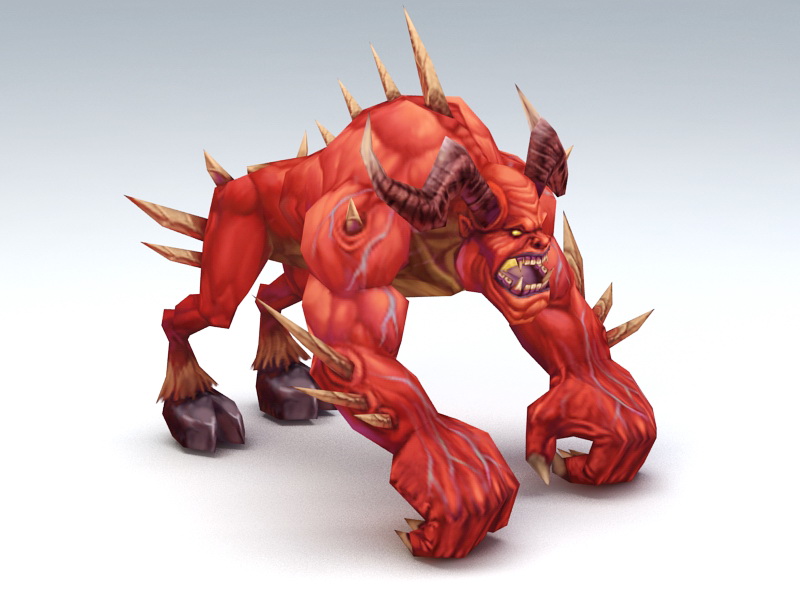
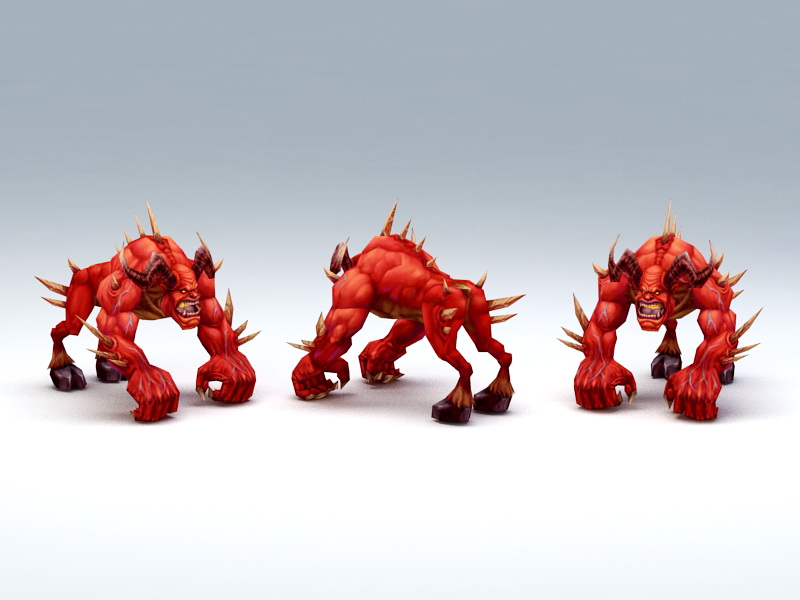
I once stumbled upon a strange model on what appeared to be a Chinese website with "free" stolen models from games.
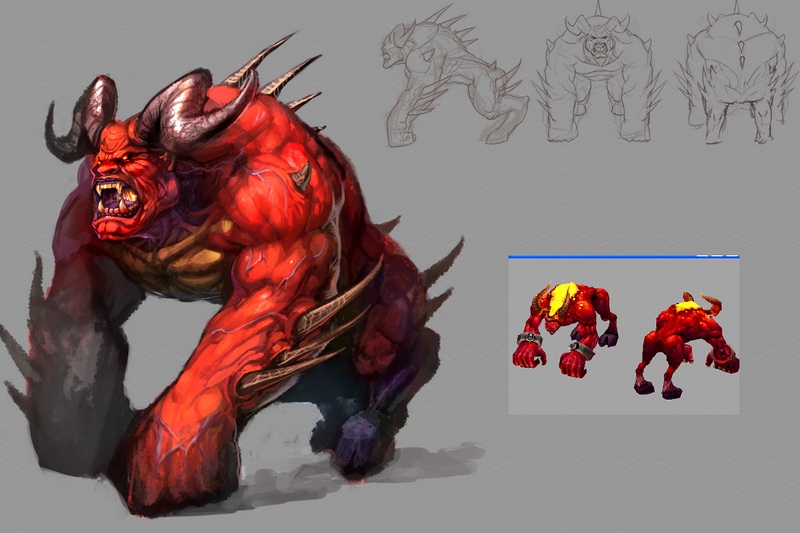
I looked at the model, and it turned out that the UV map and body geometry were the same as those of the demon from Heroes 5, but the face was completely different. Overall, I think it looks very good. If we knew the author, we could port it into the game. But alas, that's not possible. We could try to create something similar ourselves.
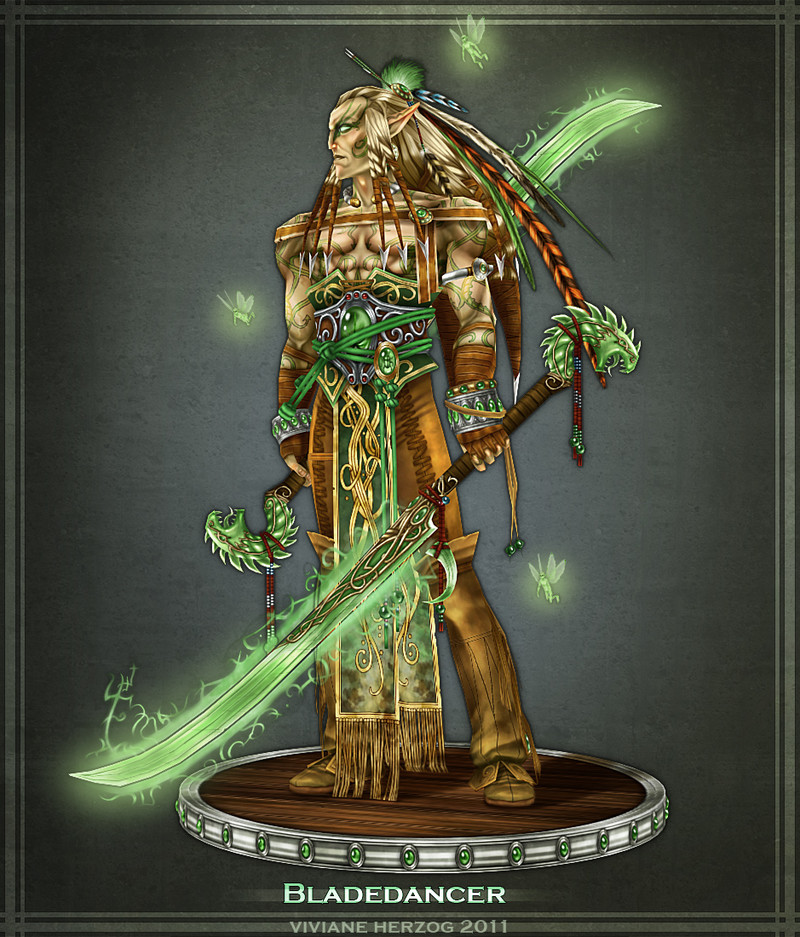
Added 6 minutes ago Or how about this beauty?
I found this model on ArtStation. Those who don't recognize it, this is the Bladedancer from Olivier Ledru's concept art for the fifth installment of Heroes.
I once stumbled upon a strange model on a website, seemingly Chinese, that offered "free" stolen models from games.
It was a Ubi project for China, but the Chinese developers reworked a lot of things based on Nival's developments and added a lot of cool content of their own. At least, I haven't seen it in Nival, Black Hole, or Limbic, although it's possible it was from a previously banned Ubi project... so it would be nice to port that content to Heroes 5! :smile26:
This was a Ubi project for China, but the Chinese developers reworked a lot of things based on Nival's developments and added a lot of cool content of their own.
That demon isn't from that game. And certainly not from the beta. Regarding importing into Heroes of Might and Magic V, it's very easy to do, but I don't want to deal with other people's models anymore, and I wouldn't advise anyone else to either.
by the way, here's a curious thing. has anyone noticed the units from the browser-based Heroes Online? I mean the official game from Ubisoft, not those various "Heroes of War and Money" games.
They mainly used models from Heroes 5 and 6, but they redrew the icons, and it turned out quite interesting.
Here, for example, is the icon for a swordsman:
Hello everyone,
I have a question.
I want to add the following:
Each town provides +1 of each resource and +500 gold per turn by default.
You can build 2 buildings per turn.
The base spawn rate for creatures is x2.
The base movement range for the hero is x1.5.
Could you please tell me how to do this?



 fktifzobr