Skip to content

Posts from Modding

No ratings yet — be the first to rate!
User Avatar
#501
Auto-translated
footman
Who knows how to import a model along with its skeleton? I managed to import the skeleton into Maya the other day, but I don't understand how it should all be "organized" so that the editor doesn't produce errors.
1. The editor must have the Blitzkrieg plugin installed from the respected CrazyPill, on a computer with Maya Complete 6.0. If Maya Complete 6.0 is not installed, the editor will also produce an error during export.
Maya session start failed: Create process failed: Cannot find the specified file, Can't open/read granny file for model \Creature_Latnik.xdb#xpointer(\Model)
The software mentioned above can be found here.

2. You need to export it correctly, specifying the correct export settings; otherwise, you will fail. You need to specify the root bone, which is usually called Global; you don't need the mesh root. If the model is static (not moving), you don't need a bone; you can specify the mesh root and that's it.

3. At the moment, I want to try something similar using workarounds.

4. It's difficult for me to describe this tedious process; it's easier to show everyone than to describe it to one person.

Help
I created a creature for NCF, changed the geometry and texture, and the alpha channel stopped working – in the game, it is displayed in black. I looked at the settings in the xdb files for the same creature; my settings in (Material) and (Texture) are identical. I return the old texture, but the alpha channel still doesn't work. Previously, I made alpha channels for models, and they worked, and for icons, I made a 2D image with an alpha, and it all works, but for the model that I edited, it somehow doesn't work; maybe someone knows what the problem is.
If needed, here is the mod https://yadi.sk/d/Uf-zoZEjjV_L7Q
NCF_Ice_Demon-RU - The mod itself
HornedDemon.(Character) - To view the model and animations in the map editor in extended mode. We launch Characters\Creatures\Inferno\HornedDemon.(Character).xdb, and the Fire Demon is replaced with the Ice Demon.
Уроки по моддингу Heroes на youtube
Мои файлы по HoMM_V, по M&MH_VII
Здесь я всегда на связи Discord
In reply to Esto100nec1
User Avatar
#502
Auto-translated
Esto100nec1
Help
I created a creature for NCF, modified the geometry and texture, and the alpha channel stopped working – in the game, it displays as black. I checked the settings in the xdb files for the same creature; the settings in (Material) and (Texture) are identical. I revert to the old texture, but the alpha channel still doesn't work. Previously, I created alpha channels for models, and they worked. I also created a 2D image with an alpha channel for icons, and it works fine. However, the model I edited doesn't seem to work; maybe someone knows what the problem is.
If needed, here's the mod: https://yadi.sk/d/Uf-zoZEjjV_L7Q
NCF_Ice_Demon-RU - The mod itself
HornedDemon.(Character) - To view the model and animations in the map editor in advanced mode. Run Characters\Creatures\Inferno\HornedDemon.(Character).xdb, and the Fire Demon will be replaced with the Ice Demon.

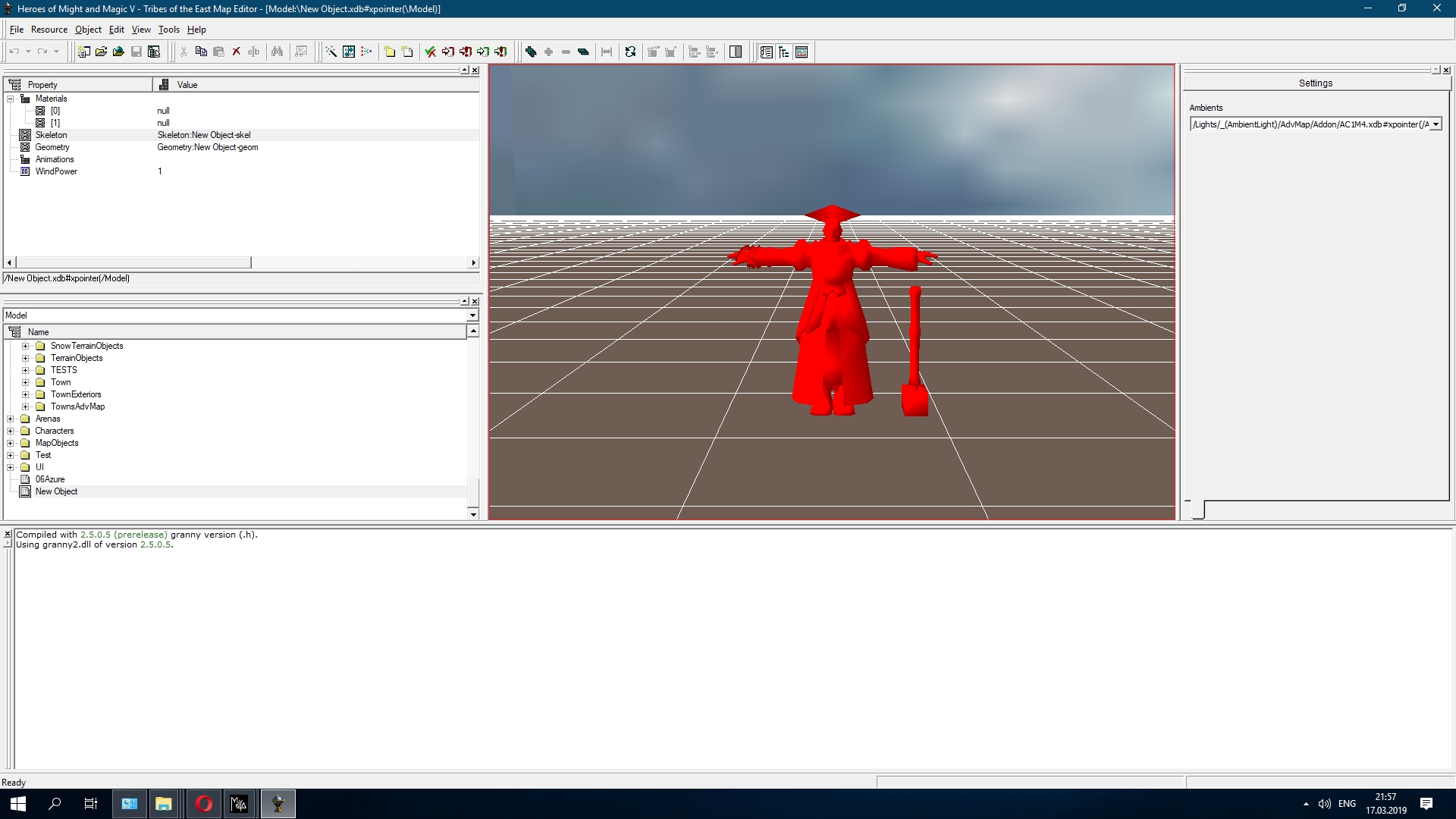
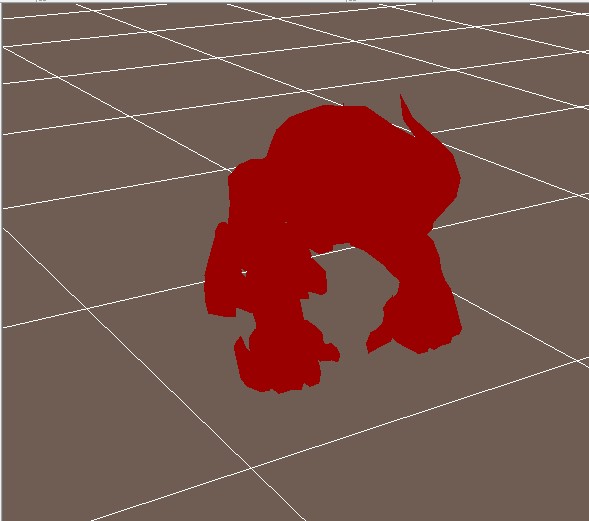
Could you provide more details about the model converter? Did you convert it using Archangel with a skeleton or through the editor? This is what your model looks like; the problem is clearly not with the texture, but when the animation plays, there's nothing but a shadow.
In reply to footman
User Avatar
#503
Auto-translated
footman
Could you please provide more details about the model converter? Did you convert it using Archangel with the skeleton, or through an editor? This is how your model looks to me; it's clear that the problem isn't with the texture, but rather that when the animation plays, nothing is displayed except the shadow.
I exported the *.smd model in Archangel into a file that the game can read, just the mesh. Older versions of 3ds Max support skeletons, and you can open animations in older versions of 3ds Max. I have a friend who opened the animations, but he doesn't remember the specifics of the process, and I couldn't do it. This is how the model looks:
https://www.youtube.com/watch?v=qVL2Z7NOhl8
The alpha channel doesn't work on the teeth; where it should be transparent, it's black. If I set AM_ALPHA_TEST – it reads the alpha channels, making them transparent or semi-transparent; the texture completely disappears from the model.

Added after 58 minutes
footman
Does anyone know how to import a model with its skeleton? I managed to import the skeleton into Maya the other day, but I don't understand how it should all be "organized" so that the editor doesn't produce errors.
In Archer_model, you have the mesh, and in Archer_skeleton, you have the skeleton, I checked. You don't need to export them separately; you can export them as a single *.mb file.
Don't forget about skinning, otherwise the mesh won't be displayed. When exporting, you need to specify the main bone, the global one.
Did you create the skeleton yourself, or did you extract it from the game?
Уроки по моддингу Heroes на youtube
Мои файлы по HoMM_V, по M&MH_VII
Здесь я всегда на связи Discord
In reply to Esto100nec1
User Avatar
#504
Auto-translated
Esto100nec1
I exported the *.smd model in Archangel into a file that the game can read, but only the mesh. Older versions of 3ds Max support the skeleton; you can open older versions of 3ds Max and the animations. I have a friend who used to open animations, but he doesn't remember the details of the process anymore, and I couldn't do it. Here's what the model looks like:
https://www.youtube.com/watch?v=qVL2Z7NOhl8
The alpha channel doesn't work on the teeth; where it should be transparent, it's black. If I set AM_ALPHA_TEST – it reads the alpha channels, making them transparent or semi-transparent; the texture from the model completely disappears.

Added after 58 minutes

In Archer_model, you have the mesh, and in Archer_skeleton, you have the skeleton. I checked. You don't need to export them separately; you can export them as a single *.mb file.
Don't forget about skinning, or the mesh won't be displayed. When exporting, you need to specify the main bone, the global one.
Did you create the skeleton yourself, or did you extract it from the game?
I extracted the skeleton from the game, but it doesn't matter whether it's 1 mb or 2; I always get this error:
In reply to footman
User Avatar
#505
Auto-translated
footman
Then I don't know how to help, the only thing I noticed is that the last parameters in your geom file are not quite correct (I compared it with what the editor gave me after exporting). In general, here is the model and geom from the editor.
And I extracted the skeleton from the game, but it doesn't matter whether it's 1 MB or 2, I always get this error:
How did you extract the skeleton?
In geom, it is indeed different; this is a side effect of Archangel. It had to be done this way; Zakhar does it the same way, otherwise, the game wouldn't recognize the meshes. There is no such thing when exporting from *.mb; the editor will generate the mesh numbers and their names itself.
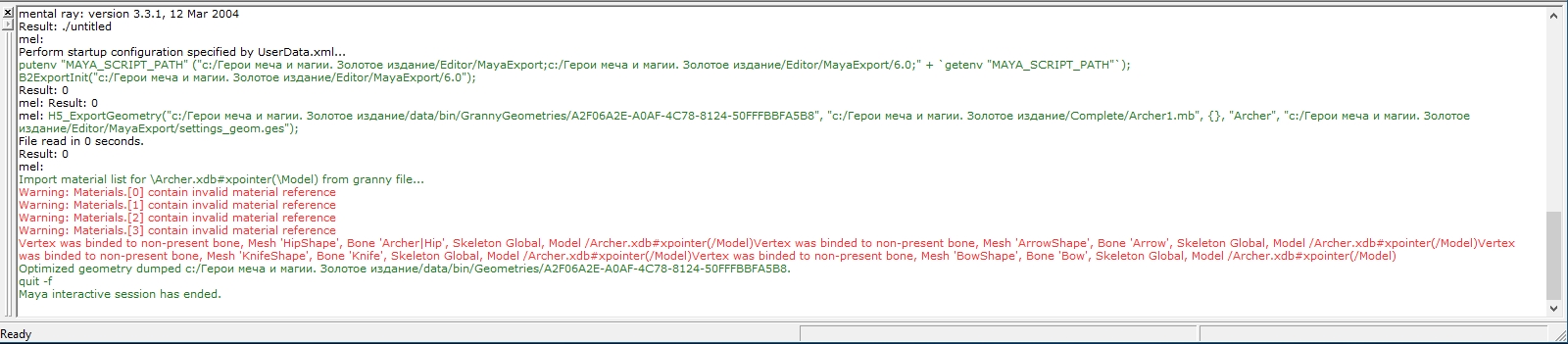
The red text indicates materials, meaning that the textures are missing; this is a minor issue. I can try exporting it myself and record a video showing what I did. If successful, I will show the result. This is if I have time because I am leaving home and will only return to my computer in a month or a month and a half.
Уроки по моддингу Heroes на youtube
Мои файлы по HoMM_V, по M&MH_VII
Здесь я всегда на связи Discord
In reply to Esto100nec1
User Avatar
#506
Auto-translated
Esto100nec1
The red text indicates that the material is missing textures; this is a minor issue. I can try exporting it myself and recording a video showing the steps I took. If successful, I'll show the result. However, I might not have time because I'm leaving home and won't have access to a computer for a month or so.
The error is in lines 5 and 6, below the materials.
I extracted the skeleton like this: archangel > smd > 3d max > fbx > Autodesk Maya 2017 > ma > Alias Maya 6.0.1. The ma scene needs to be "downgraded" so that Alias Maya can read it, and the dimensions in Maya will be off, but this is a minor issue that can be easily fixed: where Scale X, Z, and Y are set to 2.54, set the parameters to 1, and that's it. When importing the smd into 3d max, the X, Z, and Y coordinates are off; I first rotated it 90 degrees and then set the coordinates to 0.
I was able to solve the problem with the alpha channel for your unit; the standard settings are strange, and there shouldn't be any transparency, or I'm missing something.
In reply to footman
User Avatar
#507
Auto-translated
footman
The error is in lines 5 and 6, below the materials.
I extracted the skeleton like this: Archangel > SMD > 3D Max > FBX > Autodesk Maya 2017 > MA > Alias Maya 6.0.1. You need to "downgrade" the MA scene so that Alias Maya can read it, and the dimensions will be messed up in Maya, but this is a minor issue that can be easily fixed: where Scale X, Z, Y is set to 2.54, set the parameters to 1, and that's it. And when importing the SMD into 3D Max, the X, Z, Y coordinates get messed up; I first rotated it 90 degrees and then set the coordinates to 0.
The problem is not with the Mesh, but with the fact that you only have 1 Item specified in MaterialQuantities, and you have 2 Meshes, so it's logical that the material won't be read at all.
You can try this
Archangel > SMD > Autodesk Maya 2017 with the mesa plugin > MA > Alias Maya 6.0.1. I haven't tried it, but just in case.
Regarding your question, I'll try to figure it out and write to you in a private message, and I'll also duplicate it here.
Уроки по моддингу Heroes на youtube
Мои файлы по HoMM_V, по M&MH_VII
Здесь я всегда на связи Discord
User Avatar
#508
Auto-translated
Who knows how the new sacrificial pit functions are implemented in TE?
Gives 1000 experience points to all player heroes on the map once + 100 * hero level per day; the daily bonus is only given to demons.
Free of charge, it brings 2 Minotaurs and 2 Beasts per week if the corresponding building is constructed. If the building is upgraded, then their upgrades are brought (depending on who is in the garrison).
Справедливость - авторский глобальный мод

ColouredText - список заклинаний и их уровень в описании существ-колдунов
User Avatar
#509
Auto-translated
Does anyone have 3D Max 7 with support for importing/exporting the gr2 format? If so, you can open the skeleton, delete the "global" bone, and export it as a gr2 file.
In reply to footman
User Avatar
#510
Auto-translated
footman
If anyone has 3D Max 7 with support for importing/exporting the gr2 format, they can open the skeleton, delete the "global" bone, and export it to a gr2 file.

But isn't that the main bone, and if you delete it, the whole structure will collapse?!
С уважением, Psatkha (Псатха)

---------------------------------------------

Неудачное планирование ведёт к неудаче ...

NCF - мод, добавляющий дополнительных существ в HeroesV 3.1
In reply to psatkha
User Avatar
#511
Auto-translated
psatkha
Isn't it a problem that this is the main support, and if it's removed, the whole structure will collapse?!

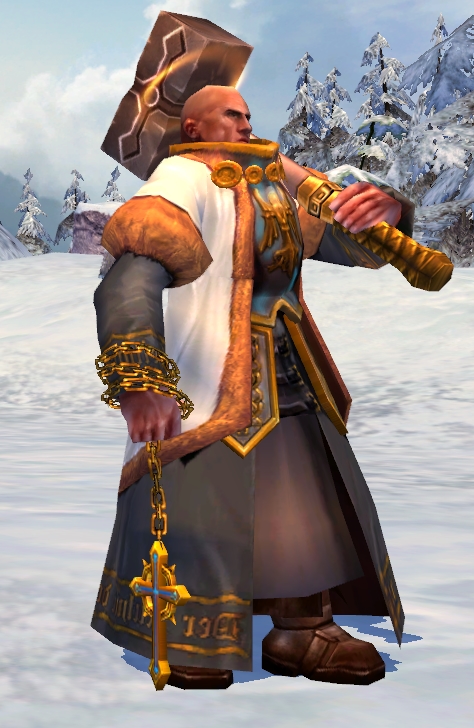
I don't need this anymore. In general, here's the situation: I managed to completely export the model (skeleton, skinning, geometry, and I don't need to create new AI geometry, the model works great with the old one), but in the game, the dimensions of the model itself are somehow larger than the standard one, and I don't know what's causing this.
In reply to footman
User Avatar
#512
Auto-translated
footman
I don't need this anymore; basically, here's the situation: I managed to completely export the model (skeleton, skinning, geometry, and I don't need to create new AI geometry; the model works great with the old one), but in the game, the dimensions of the model itself are somehow larger than the standard one. I don't know what's causing this.

Can you show it in the game or in the editor?!
С уважением, Psatkha (Псатха)

---------------------------------------------

Неудачное планирование ведёт к неудаче ...

NCF - мод, добавляющий дополнительных существ в HeroesV 3.1
In reply to psatkha
User Avatar
#513
Auto-translated
psatkha
Can you show it in the game or in the editor?!

In the editor, the dimensions are standard; most likely, the size of the bones themselves is large, as I did everything through FBX.
In reply to footman
User Avatar
#514
Auto-translated
footman
In the editor, the dimensions are standard; most likely, the sizes of the bones themselves are large, as I did everything through FBX.

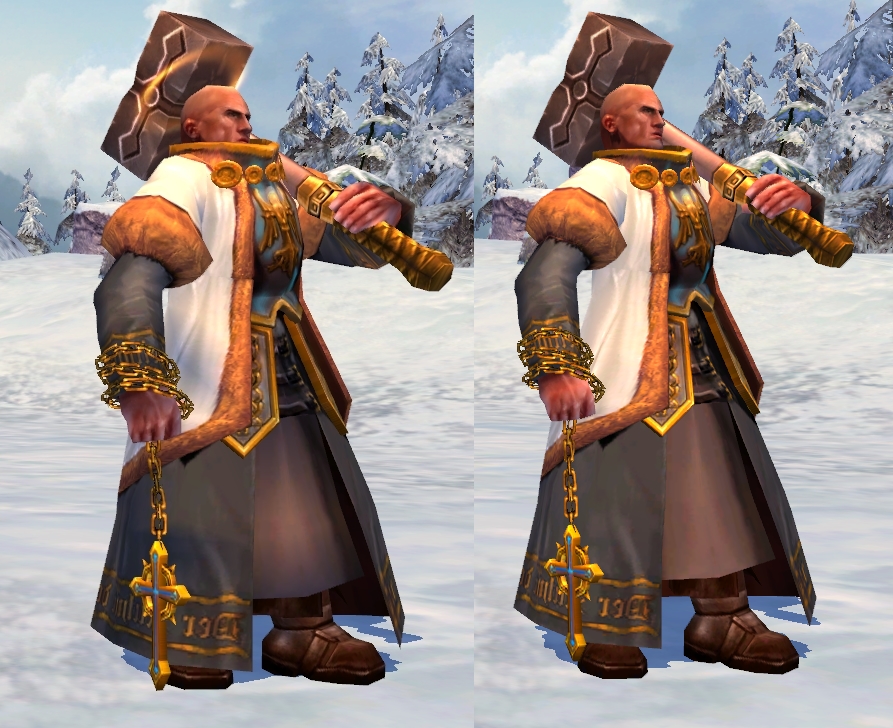
And in the game, can you show it next to a standard one?!
С уважением, Psatkha (Псатха)

---------------------------------------------

Неудачное планирование ведёт к неудаче ...

NCF - мод, добавляющий дополнительных существ в HeroesV 3.1