Connection ErrorBad RequestThis page went staleSession ExpiredSign in requiredForbiddenNot FoundToo Many RequestsServer ErrorBad GatewayService UnavailableGateway TimeoutHTTP Version Not Supported
Session Expired
Your session has expired. Please log in to continue.
Sign in required
You need an account to do that. Sign in or create one — it only takes a minute.
This page went stale
Your security token was rejected, usually because the page sat open too long or you signed in elsewhere. Nothing was saved. Reload the page and try again.
Request Failed
We encountered an issue while processing your request.
Please check your internet connection and try again.
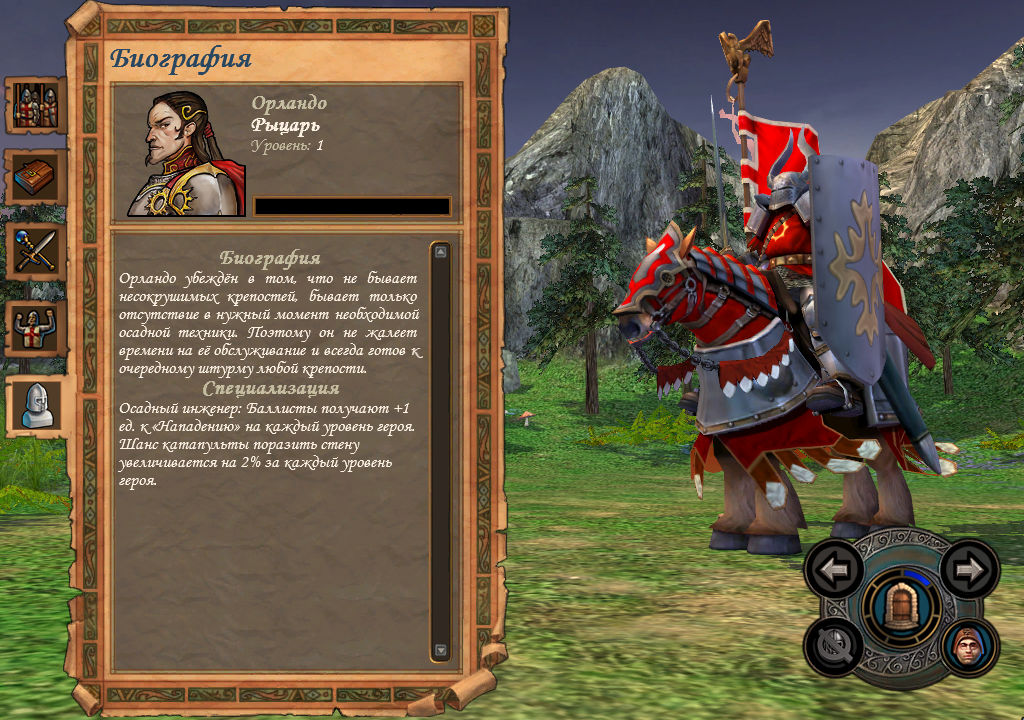
Has anyone ever added a flag for RedHavenHero? So that it could be seen in the hero overview window.
Most likely, something similar was done in NHF with Laslo. Usually, a standard Knight is taken, and an effect is applied to him to give him the body of a flagless Knight. In this case, only the model for combat is changed, so you don't have to worry about the animation for movement and the highlighting of models on the map.
Most likely, in NHF, something similar was done with Laslo; usually, a standard Knight is taken, and the model of a flagless Knight is applied as an effect. In this case, only the battle model is changed, so there's no need to worry about the move animation and model highlighting on the map.
Yes, Laslo (and not only him) has a special unique model, but his body is essentially an effect placed on top of a regular transparent model. However, in NHF, this is also present. But I did it simpler by attaching a renegade helmet to a regular body, and there's also a shield that belongs to some hero... I don't remember which one... and I also attached a renegade sword to someone!
I was watching a video about Heroes 5 and different mods, and I happened to read in the comments, although they were 1-2 years old, that animations cannot be modified, and that new creatures can only be placed on existing skeletons. Is this true? Or is the information outdated? After all, animations can definitely be extracted from the game...
I was watching a video about Heroes 5, about different mods, and I accidentally read in the comments, although it was 1-2 years ago, that animations cannot be modded, and that new creatures can only be placed on existing skeletons. Is this true? Or is the information outdated? After all, animations can definitely be extracted from Heroes...
The Estonian user has a video on his channel about this topic, where he uploaded an animation for Cerberus.
I was watching a video about Heroes 5, about different mods, and I accidentally read in the comments, although it was 1-2 years ago, that animations cannot be modded, and that new creatures can only be placed on existing skeletons. Is this true? Or is the information outdated? After all, animations can definitely be extracted from the game...
I recommend this video: However, I couldn't upload the model on my first attempt (the video doesn't mention additional files that need to be in the game folder for everything to work, but this information, about which additional files are needed, is in Zakhar's topic and can be downloaded from there).
I haven't tried adding animations yet. But I did add models.
The texture size for PWL is 1024x1024, and the lower rectangle, 1024x256, is not used...
Good afternoon! So, even if we wanted to, would it be impossible to enlarge the image? Simply because there is no support for a higher resolution? Or is there a solution?
Good afternoon!
So, even if we wanted to, would it be impossible to enlarge the image? Simply because there is no support for a higher resolution? Or is there a solution?
I have never worked on the interface (except for puzzle maps), but I have made a couple of observations: 1) The image is initially 1024x1024, and the extra part is behind the screen, which means it must be scaled to a power of two. So, if we were to increase the size, it would have to be to 2048. 2) There is an instance where the screen is shifted by a pixel - the EE mod or the 5.5 interface has the same interface; when loading a map, the splash screen from the main menu is visible on the left edge of the screen. Interestingly, this gap is also present during the AI's turn, allowing you to peek. Perhaps this is not a shift of the screen, but of some kind of closing panel.
Google "how to create a custom hero in Heroes 5", the manual describes the process of adding a custom model.
And I think I created a mod according to the manual, I copied all the mod folders into the map. It appears in the list of heroes. But it's nowhere to be found in the game. I don't know where to look. When setting the path for a standard hero to a newly created one, the table is still the old one, before the modding. Basically, it's as if I didn't add anything at all. Honestly, I don't have the strength or understanding anymore.
and it seems like I created a mod following the manual, copied all the mod folders into the map. It appears in the list of heroes. But in reality, it's nowhere to be found. I don't know where to look. When setting the path for a standard hero to the newly created one, the table is still the old one, before the modding. Basically, it's as if I didn't add anything at all. Honestly, I don't have the strength or understanding anymore.
Well, there's progress; I managed to replace the hero model with an Ent, but only the standard one, not the "dump truck" made of 3 heroes). I'll keep trying to figure it out. And the manual has very little information for beginners, about needing to close mods and copy the contents from the new mods folder, not from the map folder, so that you can then insert it into any of your maps. And also, as I understand it, you don't need to make the hero a scripted one.
The only question is: how do I make the Ent-hero not fly, but walk? Although there's a "move" animation, right? Hmm... it should be able to walk on the map, I think...
Well, there's progress; I managed to replace the hero model with an Ent, but only the standard one, not the "dump truck" version from the 3 Heroes. I'll keep trying to figure it out. And the manual has very little information for beginners, like the fact that you need to disable mods and copy the contents from the new mods folder, not from the map folder, and then insert it into any of your maps. Also, as I understand it, you don't need to make the hero a scripted one.
The only question is: how do I make the Ent-hero walk instead of fly? Although there seems to be a "move" animation, right? It should be able to walk on the map, I think...
There are 2 animation sets. One for the arena, the other for the adventure map. Usually, developers assigned all the features to the arena animation sets. For the adventure map, they mainly use the animation set with only one animation (Idle00 - this is the idle animation). Connect a link to the arena animation set in the Advanced Animation Set.
Here's an example above: I assigned the Druid's appearance to the hero, and to make him walk on the map instead of fly, I connected a link to the arena animation set



 Narron