


Skip to content

Posts from Current questions and answers regarding the map editor.

5.0 (12 ratings)
In reply to }{0TT@6bI4
User Avatar
Auto-translated
}{0TT@6bI4
To change the visuals of battle maps, go to AdvMapDesc => CombatArenas => Place the "Lord's Wall" object on the map in the background. Save, start a battle with this arena (or with your own, if you created a new one). It worked perfectly for me.

P.S. How did you determine that the wall was successfully added if you couldn't see its model?
I placed a catapult in the location where the wall should have been (gave the hero the ability to control it for testing), and there was an option to attack it. I clicked the catapult, it destroyed the wall, and then the attack cursor disappeared.
I didn't just want to visually add the wall; I wanted to add it as an object that could be destroyed.

Added 22 hours 55 minutes ago
}{0TT@6bI4
To change the visuals of battle maps, go to AdvMapDesc => CombatArenas => Place the "Lord's Wall" object on the map in the background. Save, start a battle with this arena (or with your own, if you created a new one). It worked perfectly for me.

P.S. How did you determine that the wall was successfully added if you couldn't see its model?
Could you please show me in a screenshot where the "Combat Arenas" tab is located in the Advanced map properties? I can't find this tab anywhere.
User Avatar
Auto-translated
Am I correct in understanding that in order for the game to use the arenas I created for regular (non-scripted) battles in my map, I need to prepare a separate mod?
In reply to Grigoriy
User Avatar
Auto-translated
Grigoriy
Am I correct in understanding that in order for the game to use arenas created by me for regular (non-scripted) battles on my map, I will have to create a separate mod?

Most likely, yes. There is a mod for new arenas for dueling battles; I recommend asking its author about the creation process.

Added 2 minutes later
DevoRevo
Please excuse me, this panel is not displayed for me, and I don't know how to open it. Could it be that I have a different version of the editor?

No, you simply haven't enabled the advanced mode of the map editor. You can find out how to do this either in my Manuals (in my signature) or here => /topic/at/483279/
С уважением, }{0TT@6bI4
_________________
Группа картостроителей
Там ответы на вопросы, руководства, гайды и прочее
Discord-сервер "Герои 5: S.T.A.L.K.E.R"
Сервер по модификации "Герои 5: S.T.A.L.K.E.R"
_________________
In reply to }{0TT@6bI4
User Avatar
Auto-translated
}{0TT@6bI4
To change the visuals of battle maps, you should go to AdvMapDesc => CombatArenas => Place the "Lord's Wall" object on the map in the background. Save, launch a battle with this arena (or with your own, if you created a new one). It worked perfectly for me.

P.S. How did you determine that the wall was added successfully if you couldn't see its model?
I opened the extended mode, but I still don't understand what you meant by placing the object in the background.
User Avatar
Auto-translated
We open the desired arena and place the object from the Objects tab.
С уважением, }{0TT@6bI4
_________________
Группа картостроителей
Там ответы на вопросы, руководства, гайды и прочее
Discord-сервер "Герои 5: S.T.A.L.K.E.R"
Сервер по модификации "Герои 5: S.T.A.L.K.E.R"
_________________
In reply to }{0TT@6bI4
User Avatar
Auto-translated
}{0TT@6bI4
We opened the desired arena, and placed the object from the Objects tab.
I meant that I don't see any parameter in the arena's properties to place any object there.
I did it this way, but the wall is not displayed visually.
Attachments 1
1 file attached • Total size: 128.7 KB
In reply to DevoRevo
User Avatar
Auto-translated
DevoRevo
I meant that I don't see any parameter in the arena properties to set any object there.
I did it that way, but the wall is not displayed visually.

To set any object:
AdvMapDesc => Combat Arenas => + => Desired arena => Double-click the left mouse button on the arena resource.

A map will open, and in the very center there will be a zone of 10*10 cells; you can place ABSOLUTELY ANY OBJECT there.
С уважением, }{0TT@6bI4
_________________
Группа картостроителей
Там ответы на вопросы, руководства, гайды и прочее
Discord-сервер "Герои 5: S.T.A.L.K.E.R"
Сервер по модификации "Герои 5: S.T.A.L.K.E.R"
_________________
User Avatar
Auto-translated
Did you use the object as a wall, or was it just a decorative element in the background?
User Avatar
Auto-translated
it is likely that the wall is not displayed if there are any other town objects on the arena. If I only have a wall in AdvMapTownCombat, it displays correctly.
Нет войне.
In reply to Gerter
User Avatar
Auto-translated
Gerter
probably, the wall isn't displayed if there are any other town objects on the arena. If there's only a wall in AdvMapTownCombat, it displays normally.
I was also thinking about that; the town has fully built walls and towers. It's likely due to them. Any ideas on how to fix it, and is it even possible?
User Avatar
Auto-translated
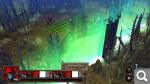
Well, it turned out something like this: first, I inserted a wall into AdvMapTownCombat, then I copied the arena buildings from the Necropolis Castle. I started the battle using StartCombat. For some reason, the tower icons are not displayed on the battle interface.
Нет войне.
In reply to Gerter
User Avatar
Auto-translated
Gerter
Well, it turned out something like this: first, I inserted a wall into AdvMapTownCombat, then I copied the arena buildings from the Necropolis castle. I started the battle using StartCombat. For some reason, the tower icons are not displayed on the battle interface.
It looks beautiful in the Necropolis style. I wonder how the wall turned green?
You can also change the position of the wall, but it's unclear what to change – the Tile coordinates or the object Locator.
Could you provide a screenshot or the file showing how the arena was made? I want to understand what I did wrong.
User Avatar
Auto-translated
Here is my result.
Attachments 1
1 file attached • Total size: 140.1 KB

Statistics

Welcome our newest member: Emil