Connection ErrorBad RequestThis page went staleSession ExpiredSign in requiredForbiddenNot FoundToo Many RequestsServer ErrorBad GatewayService UnavailableGateway TimeoutHTTP Version Not Supported
Session Expired
Your session has expired. Please log in to continue.
Sign in required
You need an account to do that. Sign in or create one — it only takes a minute.
This page went stale
Your security token was rejected, usually because the page sat open too long or you signed in elsewhere. Nothing was saved. Reload the page and try again.
Request Failed
We encountered an issue while processing your request.
Please check your internet connection and try again.
Error Details:
Share Link
HoMM3 HD is a mod (add-on) for the game Heroes of Might and Magic 3.Auto-translated
1 - there were direct links to files.
2 - it was possible to upload a folder with files and subfolders in one operation.
3 - to avoid traffic restrictions, or at least to simply reduce the speed when the limit is reached, instead of blocking the content.
I have 1 and 2 on Narod (using FTP, Commander supports it), I don't know about 3.
Another request: when viewing the morale of a stack of 4 units, the fourth component is not visible - could you display the number at the very beginning?
And, of course, thank you for all the other new features.
+Dismiss troops using the delete button (faster) and only that button (so you don't accidentally dismiss them during an upgrade; it happens to me when I'm in a hurry).
shameonyou, let's bet that 90+% of players don't know/don't remember this? + it's inconvenient and unreliable (3 buttons - I'm already scared). But you can't confuse "delete" with anything else.
Added 8 minutes later - it's like it's saying: "What are you doing, you messed up?"
Most people find it convenient to use the file explorer, even though everything can be done much faster in the commander. Besides, it's not so much about convenience as it is about reliability – the operations of splitting the stack, detaching units, and deleting are very similar, and this is not user-friendly. Although, it's a pointless argument, and the admin won't change anything.
Added 3 hours 37 minutes later ? Add the HD mod version to the map description. And separately, post a list of versions that are compatible with the save files.
Added 8 hours 17 minutes later oh shi! again, the stack was dismissed during the upgrade, although this time it wasn't a full combat stack. Is it possible to make customizable hotkeys?
Most people find it convenient to use the interface, even when everything can be done much faster in the commander mode. Besides, it's not so much about convenience as it is about reliability – the operations of splitting the stack, separating units, and deleting are very similar, and this is not user-friendly. Although, it's a pointless argument; the developer won't change anything.
Added 3 hours 37 minutes later ? Add the HD mod version to the map description. And separately, post a list of save-compatible versions.
Added 8 hours 17 minutes later oh shi! Again, the stack was dismissed during the upgrade, although this time it wasn't a full combat stack. Is it possible to make customizable hotkeys?
You have some strange problems. I also use Alt+Shift for dismissing units and haven't gotten confused even once. And if I miss, the game asks for confirmation, which is a good thing. I've also seen others use it. And in general, all the combinations are easy to remember, conveniently located, what's wrong with them? Don't use them in Blitz if you're not sure about your motor skills/memory.
I also use Alt+Shift to dismiss units and haven’t gotten confused even once.
Cool(c) The point isn’t that someone never makes mistakes, but that it should be as difficult as possible to accidentally hurt yourself.
And if you do make a mistake, the game asks for confirmation for a reason.
I bet you even read the license agreements!
And in general, all the key combinations are easy to remember, conveniently located, what’s wrong with them?
I’ve tried to learn them several times already... it would be good to add some intuitiveness... and ideally, to be able to customize them.
Don’t use them in Blitz if you’re not sure about your motor skills/memory.
Wrong. First, you probably meant Yggdrasil? Second, the whole point of hotkeys is speed and automation. And third, requiring a player to have the reflexes of a Counter-Strike or Unix player is not a good sign.
I installed the HD Mod on the original (English) Complete Collection. I have some questions that the author doesn't answer on his website. I decided to ask here.
1) In the settings, there are about a dozen different stretch filters available, but it's unclear which one is better than the others. No documentation is included with the HD Mod. I also couldn't find any screenshots for comparing these filters. In general, what principle should I use to choose the most optimal option? My screen's native resolution is 1920 x 1080.
2) When moving a hero on the map, there are noticeable jerks and a kind of "layering" of the image. And this is despite the fact that the hero's movement speed in the settings is set to the lowest! In 3D games, this is usually solved by enabling vertical synchronization, but in Heroes, it probably won't work. In the game's original resolution (800 x 600), this issue wasn't very noticeable, but when the resolution is increased, the jerky camera movement following the hero becomes very distracting. The funny thing is that the AI's turn is rendered more smoothly (its speed is also set to the lowest).
3) Why does every creature dwelling offer to hire 1 creature by default? What's the point of this?
Avatar-Lion try different filters, it might help with artifacts. For me, only 32bit true works properly. +Add support for the middle mouse button so that it works like Enter. Some actions are now performed with the mouse or Enter on the keyboard - this will save fractions of a second.
Added after 13 hours and 51 minutes Why was support for the arrow keys removed?
Hey, could you please tell me if there's a way to skip learning a secondary skill when leveling up? I often face a choice between something useless, and it would be nice to just skip it.



 zoog
zoog

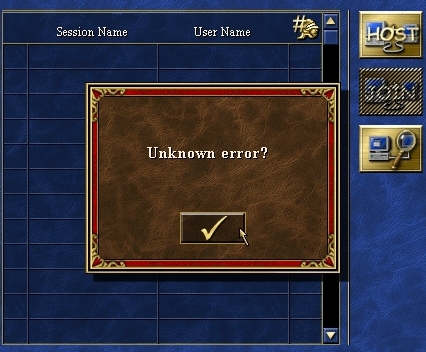 - it's like it's saying: "What are you doing, you messed up?"
