Skip to content

Posts from Map editor for Might & Magic: Heroes VI.

5.0 (2 ratings)
User Avatar
14 years ago
Auto-translated
Well, I figured it out without the manual...
By the way, is it in Russian? Although, I doubt it...
Regarding the trees, I understand. I would alternate them. But they don't (stick) to the map...
Okay, I'll try it.

For now, I just don't understand how to rotate objects...
Do you know which buttons to use?
Attachments 1
1 file attached • Total size: 92.0 KB
User Avatar
14 years ago
Auto-translated
There were hotkeys for the interface. It seems you need to press E or R and rotate the horizontal arrow. You can also complain and rotate in other directions :). The manuals are in English, yes.
User Avatar
14 years ago
Auto-translated
Yes, thank you, this is R.
Regarding the passage, it's point 6:
6. Last tweaks
Most of the work is now done; it’s time to put the finishing touches on the map.
In the Terrain painting panel, you’ll find a drawer named Passability. It allows you to set some tiles as impassable, thus better controlling where the players can move or not. As for the Area of Control painting, you can press shift while clicking to ”unpaint” a tile.
You can also set some tiles as ”water”. It means these tiles are only available to Sanctuary heroes or boats.

So, should I set lava, for example, to red?
User Avatar
14 years ago
Auto-translated
So, yes.
User Avatar
14 years ago
Auto-translated
I also want to mention that the editor puts a significant load on the system. I have 4 cores in my system, and each is loaded to 70%. It consumes about 500 MB of RAM. +++
User Avatar
14 years ago
Auto-translated
I agree, although a larger size wouldn't hurt (perhaps in other brackets, for example).
User Avatar
14 years ago
Auto-translated
Perhaps, it could be like this:
[Size] (Multiplayer or Singleplayer) "Map name" - "Map name"
User Avatar
14 years ago
Auto-translated
You couldn't ask for anything better.
User Avatar
14 years ago
Auto-translated
Hey everyone. I see people writing that you first need to unpack the files with the .orc extension into a zip archive, but how and with what program should I unpack them? Please provide more details, I've already tried everything. Otherwise, you can't really do anything in that kind of editor. Thanks in advance.
User Avatar
14 years ago
Auto-translated
Thank you very much, Ment. You can more or less figure things out in the editor itself, but there's no manual for the scripts. I'd like to take a quick look at the differences compared to Heroes 5.

Added 14 minutes ago
Just a moment... I downloaded these files for the Orcs... there are 2 files in the archive. I run either of them, and it gives an error saying it can't read the memory... Help, if anyone knows, or am I doing something wrong? Ugh.

Added 14 minutes ago
Oh, darn, I see... They're meant to be run through cmd.

Added 45 minutes ago
Hello again. Guys, I'm begging you with tears in my eyes, please help me open the Orc files. What exactly should I write in the command line? It just gives me the same error... I've reinstalled Windows, and I've downloaded the files 4 times... Please help, I really want to start doing something in the editor.
User Avatar
14 years ago
Auto-translated
It is written like this (example):
orc2zip.exe Data5.orc
I also saw on Google that you can simply drag and drop the desired .orc file onto the program.
User Avatar
14 years ago
Auto-translated
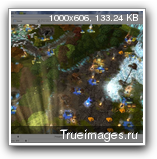
Hello, friends. The map is almost ready. There are a few more improvements to be made + placement (I won't say what). I need to test it. I'm attaching a couple of screenshots. The map isn't small... Multiplayer. I've already added some surprises and hidden goodies... +++ In general, I have one question. During testing, in battles with all units, it always ends in a draw. How can I fix this problem?

User Avatar
14 years ago
Auto-translated
Basically, I have one question. During testing, in battles with all units, it always ends in a draw...
How can I fix this problem?
A user on Hugo had a similar issue. You need to cover all possible areas of the battle with a brush from the Combat map painting tool.
User Avatar
14 years ago
Auto-translated
Ment. Thank you very much, it turned out to be quite simple...
Now, a question for Lux in tenebris. Do you have any guides on scripts? Or is it possible to manage without them?

Statistics

Welcome our newest member: recijeb