Skip to content

Posts from Interface texture update.

No ratings yet — be the first to rate!
User Avatar
Auto-translation in progress
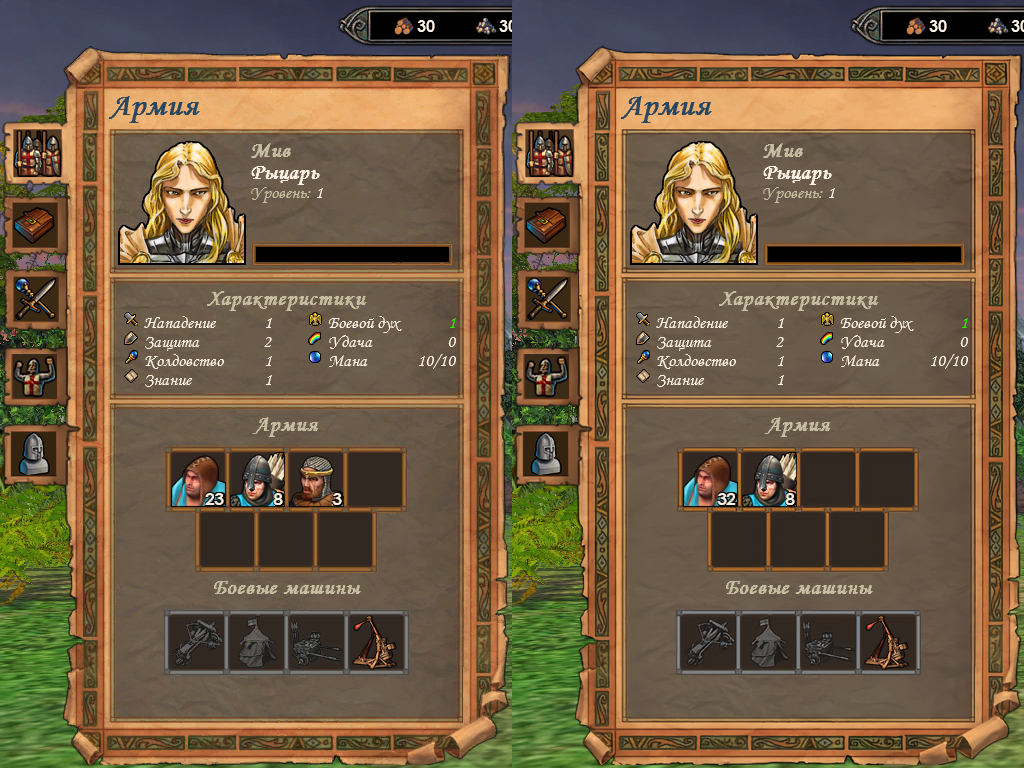
Мод обновляет все интерфейсные текстуры с узорчатой рамкой. Оригинальные сильно мыльные. Ничего больше в моде нет. Мод с расширением h5u положить в папку UserMODs.

Делал 2k апскейл текстур на онлайн ресурсе. В редакторе забирал оригинальный размер через мипмап используя фильтр kaiser (он показался мне приемлемым) и не сжимал, чтобы не потерять в качестве, сохраняя в dds.

Это оптимальное решение, что я предлагал G0ldiel, когда речь шла за апскейл интерфейсных текстур, чтобы не раздувать размер (влияет на производительность) и не заниматься переделкой (Shared).xdb файлов (лишаемся совместимости с другими модами) для сжимания гигантских текстур игрой.

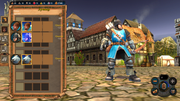
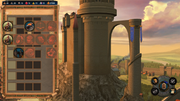
На скрине до и после.

Attachments 2
2 files attached • Total size: 27.8 MB
User Avatar
Auto-translated
Great job! Do you have any plans to update other parts of the interface?
In reply to Sir Syddan
User Avatar
Auto-translated
Sir Syddan
Great job! Do you have plans to update other parts of the interface?

I thought about it and even tried, but it doesn't make sense (with the approach used for the textures in the mod above). As they say, it's like replacing one bad thing with another. Here, the effect worked better because of the originally very blurry outlines on the original. There is no such "flaw" on other textures, although they all don't look very good. The best option would be to redraw the entire interface, but there are no clean, uncompressed textures, and I have no interest in drawing something else or pulling it from another game.
User Avatar
Auto-translated
Thank you, this is for true perfectionists. It should be treated not as a bug, but as a feature; the blurriness is perfect for old manuscripts.
In reply to Sir Syddan
User Avatar
Auto-translated
Sir Syddan
Great job! Do you have plans to update other parts of the interface?
I am working on it, but haven't created a thread yet. Overall, the results are good; those who prefer the original, but clearer interface will appreciate it. However, as Moonst@r said, ideally, it would be best to redraw some elements. Some elements are in dire need of it. For example, windows similar to the main menu (plain parchment) and windows designed as scrolls are simply terrible when upscaled.

Стой, где очерчен мелом круг! Как мне приятен твой испуг!

In reply to G0ldiel
User Avatar
Auto-translated
G0ldiel
I haven't created a topic yet. Overall, the results are good; those who are "aiming" for the original, but clearer interface will like it, but as Moonst@r said, ideally, it would be better to redraw it. Some elements really need it. For example, windows similar to the main menu (plain parchment) and windows that look like scrolls are a quiet horror when upscaled.
Hello everyone! Unfortunately, when using third-party mods, the frames shift. Can you tell me where to find the file with the reworked interface so that the unit recruitment and building construction windows are not overwritten?


And another question, maybe it's not relevant, how to change the window where the game is being saved, or where to find it; it has a large parchment and a small inscription.
In reply to MaksSP
User Avatar
Auto-translated
MaksSP

Hello everyone! Unfortunately, when using third-party mods, the frames shift. Can you tell me where to find the file with the reworked interface so that the unit hiring and building construction windows are not overwritten?


And another question, maybe it's not relevant, how to change the window where the game is being saved, or where to find it, there is a large parchment and a small inscription.

Don't use more than one mod for the same thing; that's how you fix it.
In reply to Mооnst@r
User Avatar
Auto-translated
Mооnst@r

Don't use more than one mod for the same thing; that's how you fix it.

Thanks, Captain Obvious, great answer. Instead of just saying you don't know where that file is, you had to show off your knowledge.
In reply to Narron
User Avatar
Auto-translated
Narron
Good evening everyone! Does anyone know (or remember) where the resource icons are located in the data files? These icons appear in battle when we play as the Fortress and use runes.
I doubt anyone remembers.

Try searching for all files with "Gem" in the name within data.pak.
Мои мини-моды

Мод RTF

Мои NCF существа
User Avatar
Auto-translated
Or, study the mod and take what you need from it. However, you should take the "necessary" files from the game archive, not from the mod, because the files were modified for the mod.

Statistics

Welcome our newest member: Emil