


 vova2112

Auto-translated
Recently, I had an idea and decided to explore the Heroes executable using OllyDbg.v2.01 to see if it's possible to change the game resolution (which is always 1024x768) to something else. I couldn't find the necessary values by simply editing the file with a hex editor. However, I discovered that it is possible if you change the display mode of the dump window to (32-bit float) and search for the value of interest in (Floating-point number): Original - 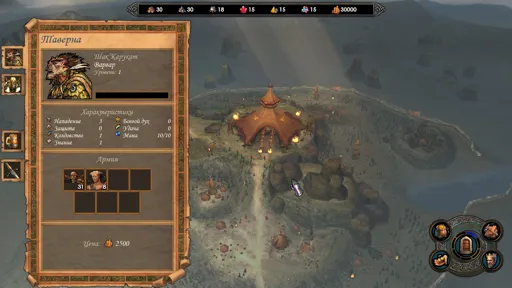 Modification -
 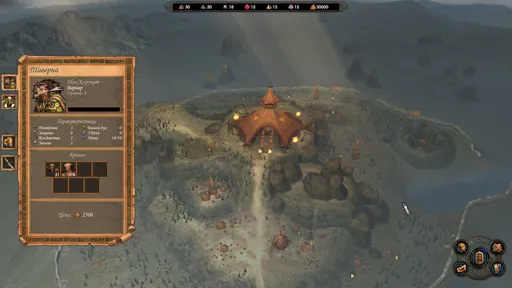 OllyDbg -
 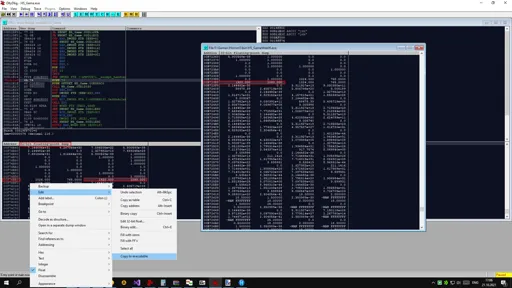 The EXE file -
  .
.
And now I'm sitting here thinking, what if it's possible to edit the stats or variables of formulas for calculating buffs/debuffs in the EXE file using a similar method? Or maybe all of this is already well-known.
And now I'm sitting here thinking, what if it's possible to edit the stats or variables of formulas for calculating buffs/debuffs in the EXE file using a similar method? Or maybe all of this is already well-known.
Грешить, злодействовать, а равно и делать добро или совершать подвиги надо без натуги. А если с натугой — то лучше не надо.
К. Прутков-инженер. Мысль № 77.
Многие вещи нам непонятны не потому, что наши понятия слабы; но потому, что сии вещи не входят в круг наших понятий.
© Козьма Прутков
К. Прутков-инженер. Мысль № 77.
Многие вещи нам непонятны не потому, что наши понятия слабы; но потому, что сии вещи не входят в круг наших понятий.
© Козьма Прутков


