


Skip to content

Posts from HoMM3 HD bug reports.

5.0 (1 rating)
#720
Auto-translated
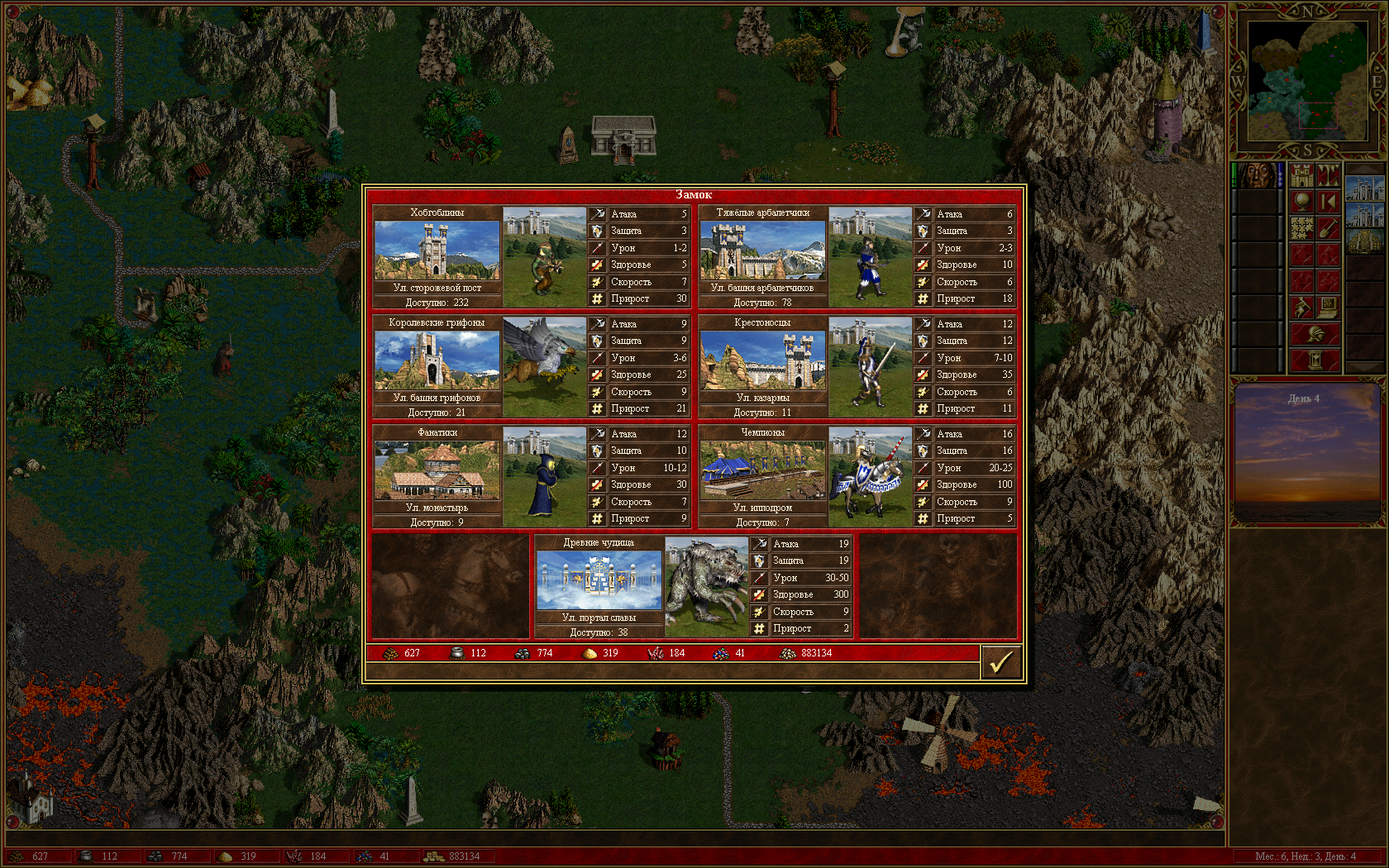
when capturing a castle of another faction and rebuilding it to your own, some troops, mainly from the original castle, become troops of the faction that captured and rebuilt it.


I don't understand how to add a spoiler; please fix it.

In reply to KeyART
User Avatar
#721
Auto-translated
KeyART
when capturing a castle of another faction and rebuilding it into your own, some units, primarily those originally belonging to the captured castle, become units of the faction that captured and rebuilt it.
HD is not compatible with In the Wake of Gods, so fixing such errors will likely be impossible.
KeyART
I don't understand how to add a spoiler, please fix it.
There is no spoiler tag on the forum.
:smile32:
In reply to Dirty_Player
#722
Auto-translated
Dirty_Player
HD is not compatible with In the Wake of Gods, so fixing these kinds of errors will likely be impossible.

There is no spoiler tag on the forum.
:smile32:
Too bad :(
#723
Auto-translated
Try not to use the HD+ option in the HD mod when playing Wog. It should help.
In reply to Dirty_Player
User Avatar
#724
Auto-translated
Dirty_Player
HD is no longer compatible with WoG, so fixing such errors will likely be impossible.
Why did HD suddenly become incompatible with WoG?
Most likely, this bug is an internal error of WoG, but saying that there is an "incompatibility" is definitely not correct.
serovoy
Try not to use the HD+ option in the HD mod when playing WoG. It should help.
It won't help. HD+ is not available for WoG at all.
KeyART
too bad:(
Please upload the save file of this game and specify the exact name of the WoG: is it WoG 3.58f or ERA II? Also, specify the version of the HD mod.
Work is currently underway, and if this is indeed an internal bug of WoG, it will be fixed in the new version of ERA.
Скачать HoMM3 ERA 2.8.3 (Repack: Rus & HD)
#725
Auto-translated
So, HD+ doesn't affect anything in Wog, even if it's active during the game?
User Avatar
#727
Auto-translated
Yesterday we played a blitz Jebus Cross with DontCallMeChris on a timer 8 4 1; we played until 211 and my opponent started having issues with rebuilding in a level 5 dungeon (he was looking for Dimension Door there). As soon as he did the rebuilding, a crash immediately occurred. We reloaded from my autosave, his save, and the battle save... and changed the turn order... nothing helped! We agreed to a technical draw after 8 hours of play. It was very frustrating. ХВ rules 1.40, rebuilding was enabled, and opp played as the red color. All updates are the latest.
#728
Auto-translated
Izgoy, This is a well-known issue with HWRules.
Since the Wizard has been absent for a long time and hasn't appeared, this bug remains unfixed.

A new version of HD with integrated HWRules functionality and corrected bugs, including this one, is expected to be released soon. However, it will not be possible to continue playing old HWRules saves on it.
HoMM 3 HD:

последняя версия - 5.0 RC96 (19.09.2020)

последнее видео: https://www.youtube.com/watch?v=u70wC0DJ7I8

полное подробное описание
#729
Auto-translated
I’m about to ask a probably idiotic question, but... how do you perform this so-called Mage Guild restructuring? I’ve been playing with HeroesWorld (1.42) for a while now, and I still haven’t figured it out (to preempt any lame jokes, the restructuring option is enabled). Game version — HotA.
In reply to serovoy
User Avatar
#730
Auto-translated
serovoy
I'm about to ask a stupid question, most likely, but... how do you do that Mage Guild restructuring? I've been playing HeroesWorld (1.42) for so long and still haven't figured it out (to preempt flat jokes, the restructuring option is active). Game version - HotA.
Hold Shift and click on the Mage Guild
icq 718927032
skype: goshanstop.ru
discord: puzzz0#3215
User Avatar
#731
Auto-translated
Thank VIK for knowing about this bug for at least a month or two (I told him about it during a stream) and still not making a proper announcement anywhere so that all Haven players would notice!


#732
Auto-translated
Some kind of wonders.
Created by an opponent. Either they didn't check the quick combat box, or before every battle a message like "Quick Combat..." popped up.


and this save is auto 111
Attachments 3
3 files attached • Total size: 1.6 MB
Summer 2013


#733
Auto-translated
Most likely, it's a feature of the template (there are now many different ones, and you can create your own). The situation with quick combat is more interesting. A screenshot would be helpful.
#734
Auto-translated
I added the plus signs myself when saving during loading. The screenshots clearly show the situation.
Summer 2013