


 Варсус

Auto-translated
Okay, I figured it out, thanks. I was using a different path than the one you mentioned. But, I encountered a problem that might not be related to this topic, but I decided to post it here anyway. I went into the map properties (although now I realize I shouldn't have), and clicked "Edit," opening the map using the WinZipper application, and to my surprise, all the maps started displaying with this icon: 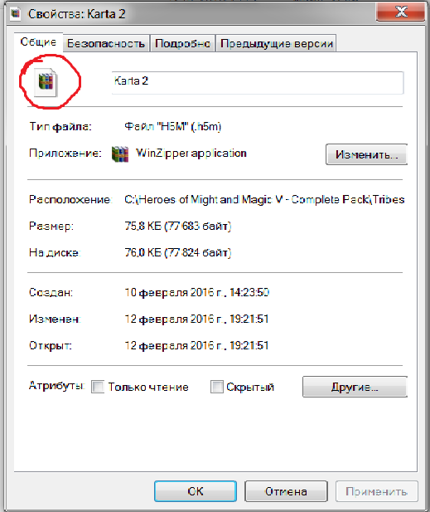 . How can I fix this? Although the editor still opens the maps, this issue is still very concerning to me.
Когда ты задумываешься о том, что ты задумался, ты перестаёшь задумываться ;)
Хаос во всём тоже порядок...
Кампания Седьмое затмение. Грань Империи.
В стадии разработки 10%
Хаос во всём тоже порядок...
Кампания Седьмое затмение. Грань Империи.
В стадии разработки 10%