


 HwKeeper


Auto-translated
In the "Attachment Management" section of the advanced message editor, a very useful feature has been added — you can now insert an image from the clipboard. The functionality has been tested in FireFox and Chrome browsers.
It works well in combination with standard Windows programs such as Snipping Tool (Ножницы) and Snip & Sketch (Фрагмент и набросок) — you can simply cut out a part of the screen and paste it into "Attachment Management" using Ctrl + V
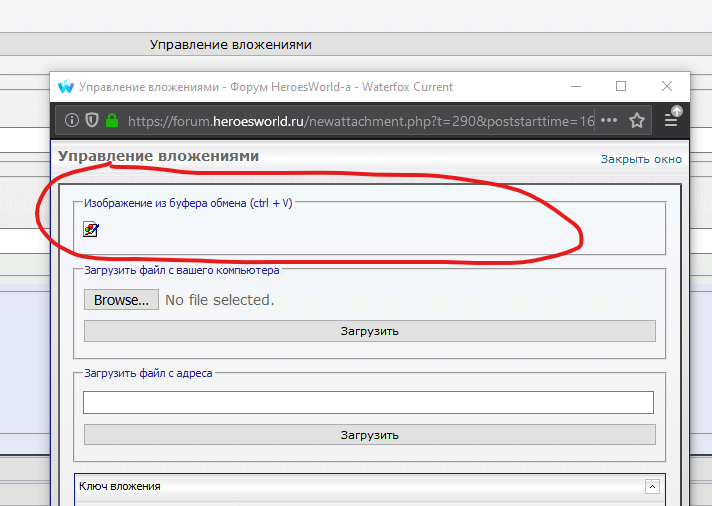
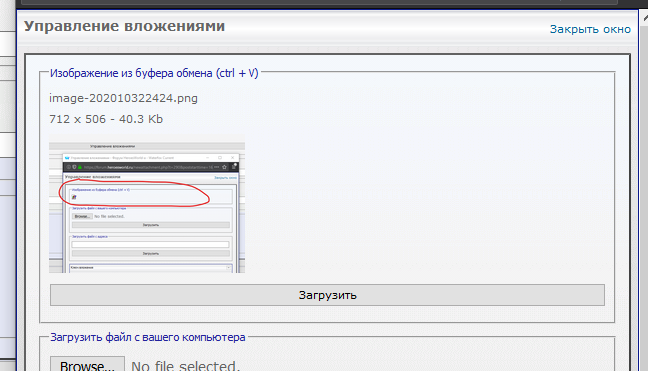
It works well in combination with standard Windows programs such as Snipping Tool (Ножницы) and Snip & Sketch (Фрагмент и набросок) — you can simply cut out a part of the screen and paste it into "Attachment Management" using Ctrl + V