


 fktifzobr


Auto-translated
So, you want a head from Skyrim? — then you need to know how to install Skyrim mods. The main mod for this is RaceMenu and everything it requires (SKSE, SkyUI).
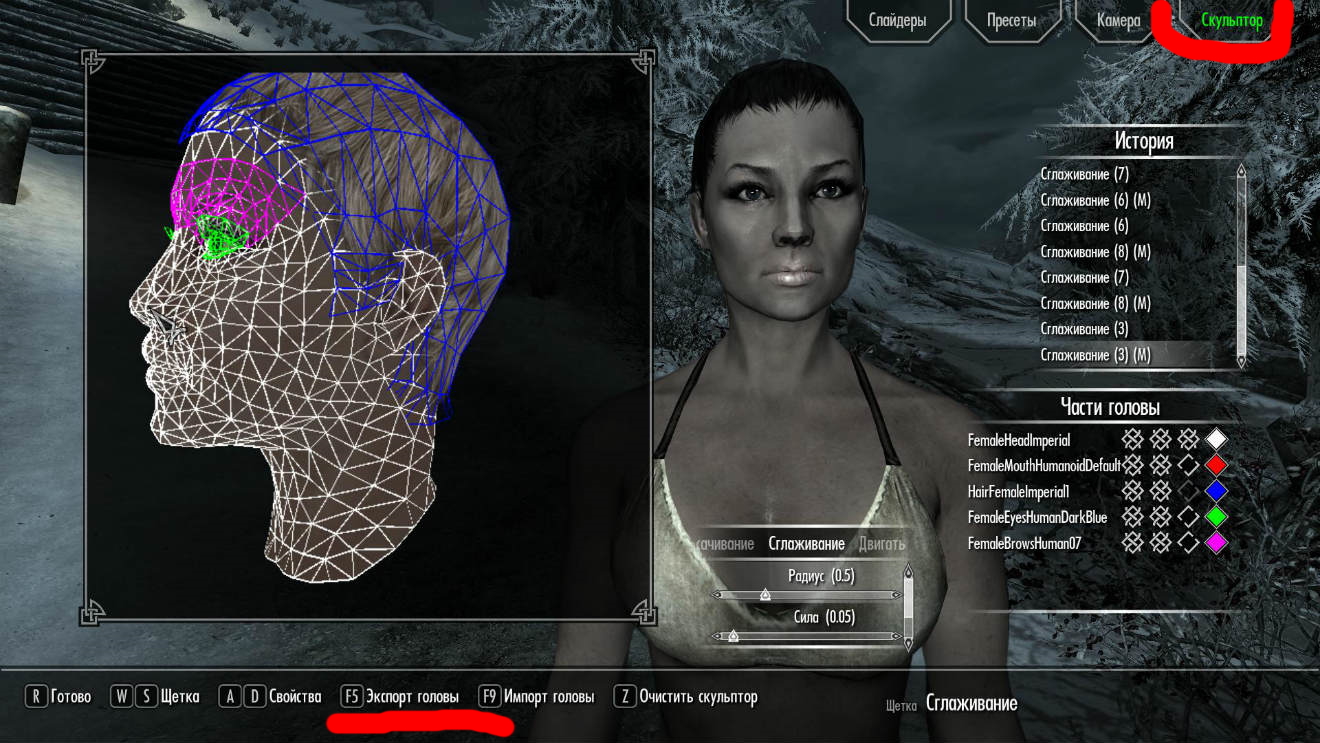
If you've made a pretty face in it, go to the "Sculptor" tab and export the head with F5, or click the button on the bottom panel with your mouse (that should work too, I think).
It's better to name it in English or with numbers.
I'd advise against doing scars and tattoos — they're applied as a separate model — better to draw them on the skin texture later.
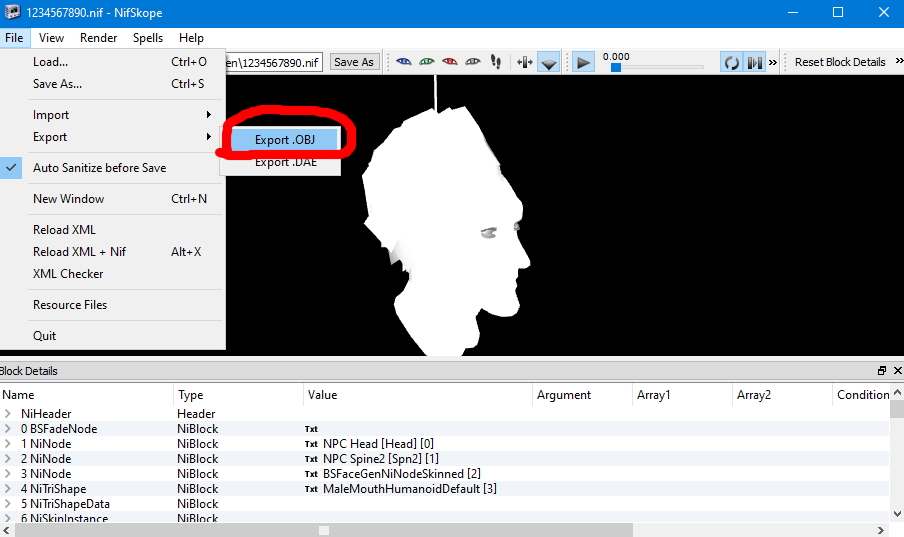
Now you need to go into Skyrim\Data\SKSE\Plugins\CharGen — your head will be lying there. To open it, you need the program NifSkope.
During the OBJ export, a bunch of errors will pop up — just click OK.
Now you can edit it in a convenient program.
The eyes, mouth, eyebrows, and the hair base can be removed — eyebrows and eyes can be drawn on the texture.
Speaking of textures — you can take them from mods, but if you need the original ones, the texture archive can be unpacked with the program BSAUnpak.
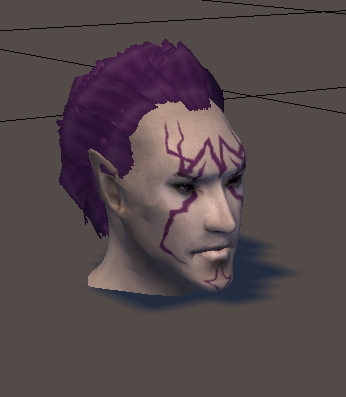
This is the Lethos I ended up with. If I don't forget, I'll later write how to fix the square shadows on the face in Maya 6 (warning — this method was created by trial and error; I don't recommend professionals read it)
If you've made a pretty face in it, go to the "Sculptor" tab and export the head with F5, or click the button on the bottom panel with your mouse (that should work too, I think).
It's better to name it in English or with numbers.
I'd advise against doing scars and tattoos — they're applied as a separate model — better to draw them on the skin texture later.
Now you need to go into Skyrim\Data\SKSE\Plugins\CharGen — your head will be lying there. To open it, you need the program NifSkope.
During the OBJ export, a bunch of errors will pop up — just click OK.
Now you can edit it in a convenient program.
The eyes, mouth, eyebrows, and the hair base can be removed — eyebrows and eyes can be drawn on the texture.
Speaking of textures — you can take them from mods, but if you need the original ones, the texture archive can be unpacked with the program BSAUnpak.
This is the Lethos I ended up with. If I don't forget, I'll later write how to fix the square shadows on the face in Maya 6 (warning — this method was created by trial and error; I don't recommend professionals read it)