


 Andzen

Auto-translated
To add new music, simply dropping the audio files into the music folder is not enough. You also need to make changes to the data.pak archive.
For example, I want to add a new audio file, Battle-Haven3.ogg. To do this:
1) In the data.pak archive, open the file Sounds/_(Music)/Battle-Themes/Haven.xdb and extract it to your desktop.
2) On your desktop, change the file name to Haven3.xdb, open it with Notepad, and in the line, write the path to the audio file. For example: ..\Music\Battle-Themes\Battle-Haven3.ogg
3) Save the changes and add it back to the archive.
4) Open Sounds/_(Music)/TableRaceMusic.xdb.
5) In the appropriate section, specify the path to the Haven3.xdb file.
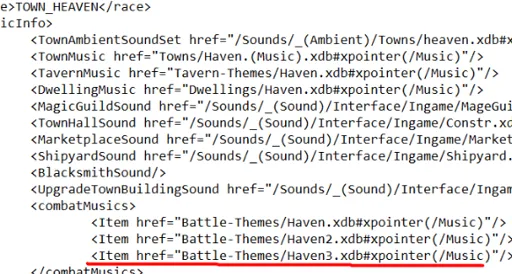 That should be all.