


 MicroElf

Auto-translated
You just need to learn how to manage layers. I'm too lazy to figure it out and install Photoshop; paint.net is enough for me.
For a resolution of 1920х1080 - one grid cell is 11х11 pixels.
I open a pre-saved grid, then screenshot the views in x2 mode (this way there are only two screenshots per surface), and save them on different layers. Then I stitch each surface together. The grid is on a separate layer, so it can be easily toggled on/off. Possible Dragon Utopia areas and calculated routes between cities are also on different layers.
This is how it looks
I'm attaching my grid for the 1920x1080 game. In principle, if you stretch it correctly, it should work for all situations.
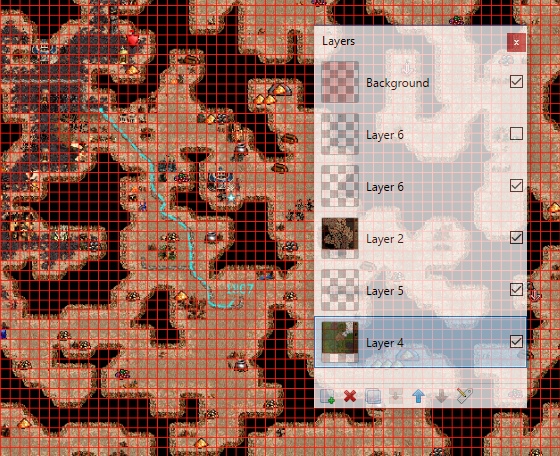
I really liked Paint net at first glance. Our requirements regarding graphics work are quite primitive (except perhaps for layer support), and the fact that the program is intuitive and not overloaded with unnecessary functions in our case is a big plus. Plus, it's officially free.
I didn't quite understand the x2 part. On XL+U maps at x1, I need 2 screenshots per surface, and unfortunately, a thin strip remains along the edges. At x2, it would take 6 screenshots to fully cover the surface. On L maps, 4 screenshots in x2 and still two screenshots in x1. I assume that scale may vary between different players due to different monitor resolutions and HD mod launcher settings.
I also have 1920x1080 and default HD settings (1180x664). Do you have different settings, or are there other factors affecting the scale?
ICQ 289320583