Skip to content

Posts from = Small mods that change the visuals =

5.0 (1 rating)
In reply to MaksSP
User Avatar
3 years ago
Auto-translated
MaksSP

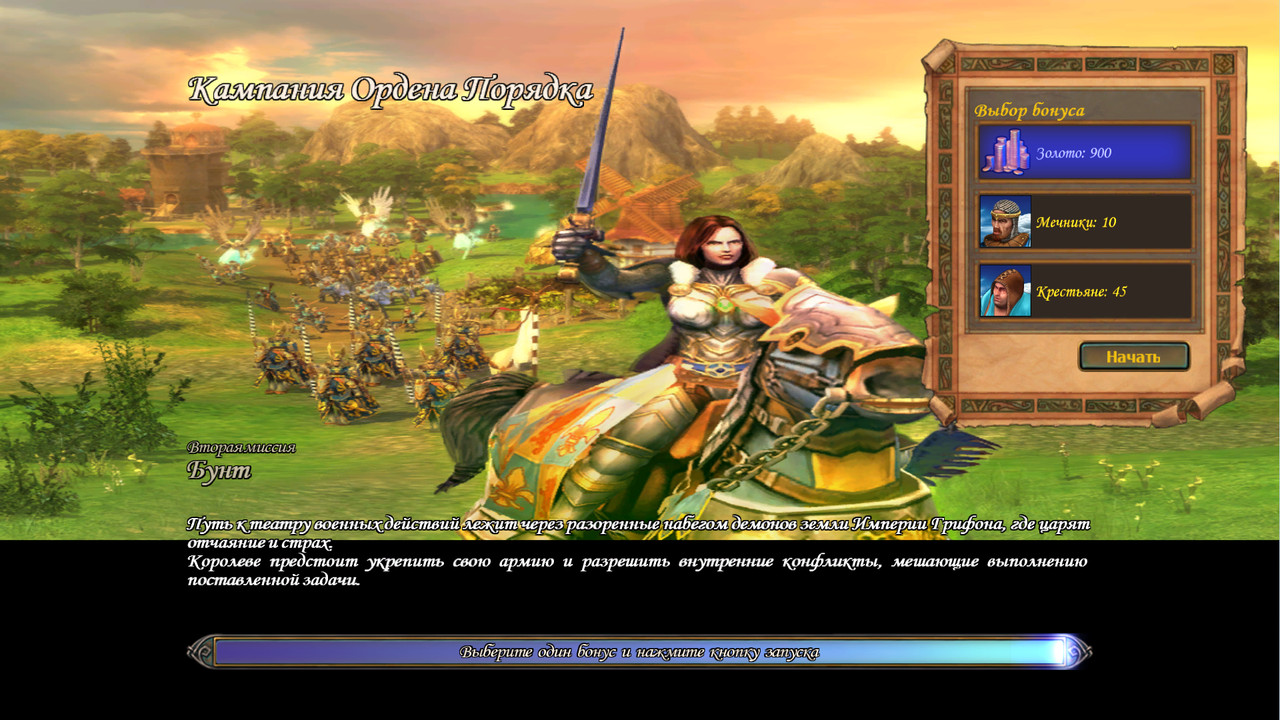
I was already happy when I saw the cutscenes without distortion, but after installing the mod, I got this image.
Title

Disable your mod and check how it looks.
User Avatar
3 years ago
Auto-translated
I've figured everything out; you provided an example with several scenarios for companies, and the rest remained unchanged.
In reply to MaksSP
User Avatar
3 years ago
Auto-translated
MaksSP
I was already happy when I saw the splash screens without distortion, but after installing the mod, I got this image.
Title
1. There is no Haven campaign in the Tribes of the East. 2. You have some other mod installed. 3. If you have the AllCampaignMod.h5u mod, then you need to manually remove all PWL files and replace the new resolution in each PWL.(Texture).xdb. The same actions apply to the Hammers of Fate campaigns.
In reply to Mооnst@r
User Avatar
3 years ago
Auto-translated
Mооnst@r

Here's a mod for all campaigns. It's quite substantial.
Thanks! I've added a mod to change the image for scenarios; I can upload it if anyone needs it.
User Avatar
3 years ago
Auto-translated
Improved appearance of the hardware cursor. Before: After: Installation: Extract the archive into the [Tribes of the East\hwcursors] folder, replacing the existing files.
Attachments 5
5 files attached • Total size: 221.1 KB
User Avatar
3 years ago
Auto-translated
2**vova2112**
Is the improvement achieved by increasing the resolution or by blurring? In my opinion, it's better to approach the elements more selectively. Smooth details definitely look better, but in other respects, the detail has been lost, and the color palette has suffered. This is clearly visible on the hilt of the blade and especially on the unicorn. The blade and the font are much better perceived. I'm judging based on the screenshots.
User Avatar
3 years ago
Auto-translated
There is no smoothing or resolution increase; I did some minor adjustments in Photoshop where needed and changed the color depth from 8-bit to 32-bit.
Here's another comparison:
Attachments 2
2 files attached • Total size: 572.1 KB
In reply to Narron
User Avatar
3 years ago
Auto-translated
Narron
I think it lacks noise and sharpness.
There's enough noise and artifacts in the original textures, but it would be very difficult to achieve sharpness in a gradient color. I didn't want to deviate from the original, I just wanted to fix the color gradation that looks like steps.
In reply to vova2112
User Avatar
3 years ago
Auto-translated
vova2112
The original textures have a lot of noise and artifacts, and it would be very difficult to improve the sharpness of the gradient color. I didn't want to deviate from the original, but the stepped color gradient really bothers my eyes.

Could I work on your mod in my spare time, colleague?
User Avatar
3 years ago
Auto-translated
Narron - everything is possible; you can modify it, take elements from it, and so on.
In reply to vova2112
User Avatar
3 years ago
Auto-translated
vova2112
Narron - you can do anything, modify it, take elements from it, etc.

Thank you very much, colleague!
In reply to Narron
User Avatar
3 years ago
Auto-translated
Hello everyone! I was looking for some mods that change the visuals and found this thread. I was very intrigued by the mod with red Necropolis units, but unfortunately, it can’t be downloaded. Does anyone still have this mod or a working link to it?

Statistics

Welcome our newest member: recijeb