Skip to content

Posts from SkillWheel (Mod)

No ratings yet — be the first to rate!
User Avatar
Auto-translated
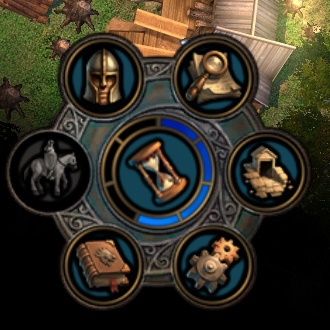
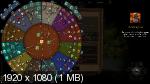
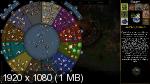
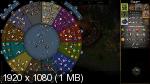
I'm posting my modification of the Skill Wheel which I've been periodically finishing since 2013.
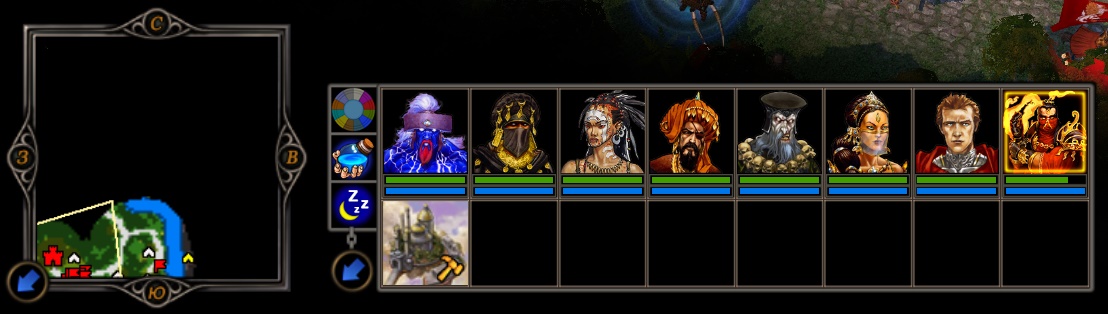
The wheel displays correctly on all monitor resolutions, and I also had to embed the MANA and HERO SLEEP buttons into it.

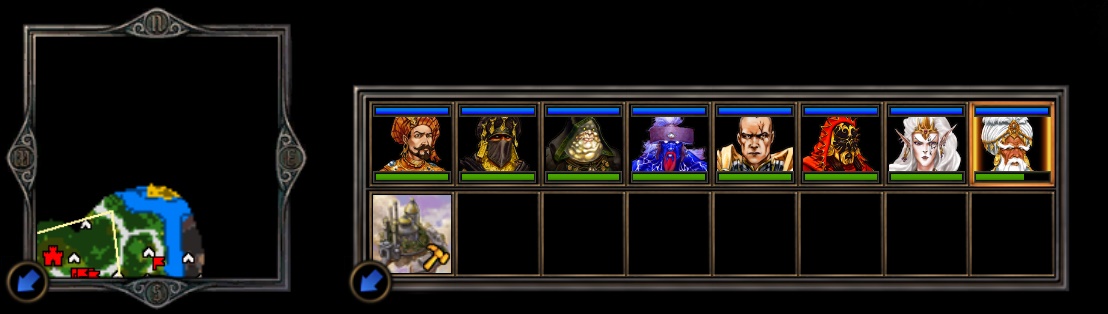
BEFORE > Нажмите на изображение для увеличения<br />Название: 2.jpg<br />Просмотров: 13<br />Размер: 86.5 Кбайт<br />ID: 69639 Нажмите на изображение для увеличения<br />Название: 1a.jpg<br />Просмотров: 13<br />Размер: 52.8 Кбайт<br />ID: 69641
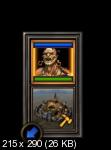
AFTER > Нажмите на изображение для увеличения<br />Название: 1.jpg<br />Просмотров: 17<br />Размер: 112.2 Кбайт<br />ID: 69640 Нажмите на изображение для увеличения<br />Название: 2a.jpg<br />Просмотров: 14<br />Размер: 49.6 Кбайт<br />ID: 69642


Fixed version for correct display on low graphics settings - SkillWheel_v3.0.8.h5u
Update (25.02.23) - SkillWheel_v3.0.9.h5u

Auto-translated
what has changed then?!
In reply to АЗАЗЕЛЬ
User Avatar
Auto-translated
Quote:
Message from AZAZEL
what has changed?
Previously, there were inaccuracies (most likely from version 3.0 or earlier) in indicating the percentage chance of parameters and skills appearing, and they weren't even displayed on the wheel itself because large text descriptions wouldn't fit.
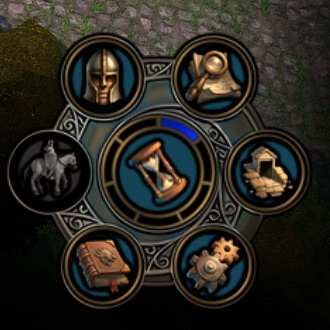
The skill wheel button is now not hidden in the depths of the hero window's tabs, but on the hero's panel.
And there are also some minor adjustments in the positioning of text and graphic elements.
User Avatar
Auto-translated
Excellent mod, the improvements compared to the old wheel mod are noticeable. However, I still need to get used to not clicking on the hero's window just to access the wheel, because I'm already doing it out of habit.
Auto-translated
Thank you very much for this wonderful mod, it is very helpful.
Auto-translated
Why doesn't the upgrade chosen in the skill wheel get saved? It used to be saved for the Hammers of Fate.
In reply to badm.f.
Auto-translated
I tried installing a mod. When setting the graphics to "Normal" or lower, the skill icons only occupy a quarter of the screen, even though the highlighting on the correct positions works. I tried changing the screen resolution from 1920x1080 to other resolutions – the same issue persists. With "High" and "Very High" settings, everything works fine.
Attachments 1
1 file attached • Total size: 481.6 KB
User Avatar
Auto-translated
The author simply saved the textures with mipmap generation enabled; the textures need to be resaved.

Why this is necessary:
All interface textures are saved without mipmap generation, while textures on models are saved with mipmaps. When the graphics quality is reduced, all textures with mipmaps are compressed – this is what happened with your skills wheel.
Мои мини-моды

Мод RTF

Мои NCF существа
In reply to fktifzobr@mail.ru
User Avatar
Auto-translated
talanted
I uploaded the corrected version in the header.
I wanted the image to look better at low and ultra-low screen resolutions, but I didn't think about the game engine's specific features.
Грешить, злодействовать, а равно и делать добро или совершать подвиги надо без натуги. А если с натугой — то лучше не надо.
К. Прутков-инженер. Мысль № 77.
Многие вещи нам непонятны не потому, что наши понятия слабы; но потому, что сии вещи не входят в круг наших понятий.
© Козьма Прутков
User Avatar
Auto-translated
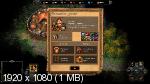
Redrew the hero panel and minimap, improved the quality of the button panel, slightly optimized the images, and created new icons (mana | sleep).
Original -
Mod -
Link to the update in the header!
Attachments 4
4 files attached • Total size: 301.2 KB
Грешить, злодействовать, а равно и делать добро или совершать подвиги надо без натуги. А если с натугой — то лучше не надо.
К. Прутков-инженер. Мысль № 77.
Многие вещи нам непонятны не потому, что наши понятия слабы; но потому, что сии вещи не входят в круг наших понятий.
© Козьма Прутков
User Avatar
Auto-translated
Good day, I copied it into the mods folder, but it seems to be shifted for some reason. I think I deleted all the other mods, but maybe someone else has encountered this?

Added 2 hours and 40 minutes later
Never mind, I figured it out. To make it work properly, you need to start a new game! Great mod, the frame is neat, the buttons are convenient, thank you! Question for the experts: is it possible to add another window showing the hero's army composition, like in the previous games in the series?
User Avatar
Auto-translated
The wheel icon is cool. It’s a shame that it wasn’t used to improve the outdated mess in levelupbox. Using city icons instead of faction symbols is certainly questionable. As an alternative, they could all be colored silver to avoid any association with the LGBTQ+ community. And, of course, it’s a disappointment that saves made with the mod cannot be loaded without it. Probably due to the modified interface.
Attachments 2
2 files attached • Total size: 458.3 KB
In reply to Mооnst@r
User Avatar
Auto-translated
Mооnst@r
The wheel icon is great. It's a shame that it wasn't used to replace the outdated mess in levelupbox. Using city icons instead of faction symbols is certainly questionable. As an alternative, they could all be colored silver to avoid any association with LGBTQ+ themes. And, of course, it's a drawback that saves made with the mod cannot be loaded without it. Probably due to the changed interface.
Initially, I tried to create a single wheel of skills button in levelupbox, so that only one window with the wheel and a panel with city icons would open, but I had to leave it as it was because, after a few game days, the saves would break for some unknown reason (probably for the same reason it was in the original mod). And I also like the panel with city icons more than the one with faction symbols.
Грешить, злодействовать, а равно и делать добро или совершать подвиги надо без натуги. А если с натугой — то лучше не надо.
К. Прутков-инженер. Мысль № 77.
Многие вещи нам непонятны не потому, что наши понятия слабы; но потому, что сии вещи не входят в круг наших понятий.
© Козьма Прутков
In reply to vova2112
User Avatar
Auto-translated
vova2112
At first, I tried to make a single skill wheel button in the levelupbox, so that only one window with the wheel and a panel with city icons would open, but I had to leave it as it was.

Did you experience any confusion when you had only one wheel in the levelupbox? Do you know how this can be resolved?
Attachments 1
1 file attached • Total size: 213.3 KB

Statistics