


Auto-translated
I discovered a strange bug with private messages. Their sending time, apparently, does not adjust to the user's time zone. But it also doesn't match Greenwich time in my case.

New here? I'm Roha — want a quick tour?
Nice! Want a quick tour of this page too?
Show the author's original text and human translations first. Machine translation is used only when nothing else exists.
New here? I'm Roha — want a quick tour?
I discovered a strange bug with private messages. Their sending time, apparently, does not adjust to the user's time zone. But it also doesn't match Greenwich time in my case.
The edit/delete message button has disappeared (or become extremely inconspicuous).
Messages are deleted by clicking on the nickname.
Небо – мольбы не ждёт
Небо – угроз не слышит
Небо – ведёт особый счёт
Небо – тебя найдёт
⚔︎ Рыцари Тезота: Персонажи | События ⚔︎
По вопросам модерации: [email protected]
Messages are deleted by clicking on the nickname.
I would never have figured that out in a million years. Thanks.
As a designer, I suggest slightly changing the placement of the post number (it would be good to enlarge it a bit and highlight it like a username, so it's clear that it can be clicked), the post time, and the message selection checkbox. I also propose moving the edit and delete buttons to the bottom right corner, next to the reply button, similar to how it was in the old design.
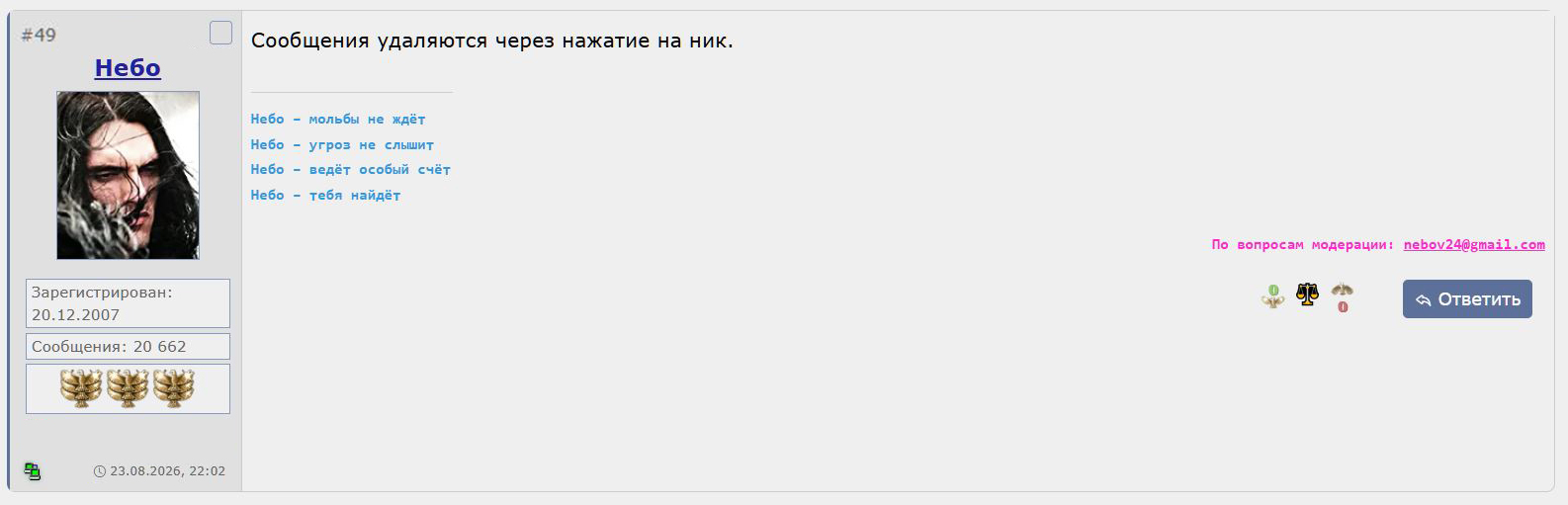
Небо – мольбы не ждёт
Небо – угроз не слышит
Небо – ведёт особый счёт
Небо – тебя найдёт
⚔︎ Рыцари Тезота: Персонажи | События ⚔︎
По вопросам модерации: [email protected]
When trying to ban a spam bot, it shows this: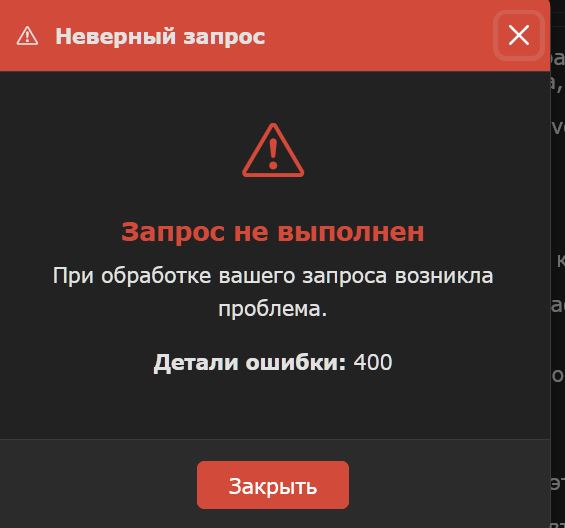
Небо – мольбы не ждёт
Небо – угроз не слышит
Небо – ведёт особый счёт
Небо – тебя найдёт
⚔︎ Рыцари Тезота: Персонажи | События ⚔︎
По вопросам модерации: [email protected]
If you open a message in a new window in the classic theme, it will have a different display design than the current one.
I agree about the edit and delete buttons being like in the old design — and probably the share/report options could be moved there too. Through the same "..." block, for example, since these features aren't used too actively.
What's actually missing when you click on a user's name is "send a private message." I think there was also "ignore" and some other old features, but I can't recall them anymore, so they probably weren't that necessary.
I remembered another feature — previously you could click on the number of messages in a thread and see who left how many messages in it.
But that's just one of those minor things.
 Злобный Ящур
Previously, in user profiles, instead of the vague "Was online a certain amount of time ago," there was "Last activity" with the date and time specified. And if the user was online, it showed what they were doing at that moment. It was useful. For example, you could find out whether the GM was responding in a game thread (you could wait) or was "busy with their own affairs" (if you needed to leave, you didn't have to wait).
Ничто не возникает из ничего и ничто не пропадает бесследно.
Если где-то чего-то убудет, то в другом месте добавится.
(Закон сохранения).
 Mооnst@r
Write a reply... Could you just display the text input window right away, without extra clicks?
Statistics are now in every topic and profile, in addition to the main forum page, where they belong.
Mооnst@r
Can you make it so that it doesn't redirect to the main site when logging in or out, if I enter my username and password on the forum's main page?
Mооnst@r
In "Games and Categories," when hovering the cursor, the thumbnail image sways side to side for Olden Era, Heroes 5, Heroes 2, and Might and Magic. Also, for some, the text moves side to side. There is plenty of space there, but the "Other" games that are in "All Sections" are not there. Also, "Town Hall" is missing from "All Sections."
If you select any section from "Games and Categories," it can only be closed by refreshing the page, but it could be made to close by clicking again (since it gets highlighted after clicking) and in some other way as well.
There is no preview in private messages.
And I think the links to posts created before the forum update have broken — more precisely, they seem to work, but the post doesn't open in a separate window.
And occasionally the page scrolling comes back when opening a message, but I can't figure out what it depends on...
Mооnst@r
If you are at the bottom of the main forum page and click on any game section in the top panel, the page position does not change — the section opens, but it is not visible, and you have to scroll up.
Also, sometimes it happens as shown in the screenshot below. And if there is no error, the background (image) changes, but you stay in the same thread and nothing else happens — no Heroes 4. How it should work here, I don't know — probably it should redirect you from the thread to the game section or the tavern/town hall.
Mооnst@r
When I enter this thread and start scrolling up, the cursor constantly jerks down a few millimeters. It's very noticeable in this thread, but not so much in others, it seems. Maybe because it was created on the new engine already.
In the "maps" statistics, the icon also sways from side to side when hovering over it with the cursor.

