Connection ErrorBad RequestThis page went staleSession ExpiredSign in requiredForbiddenNot FoundToo Many RequestsServer ErrorBad GatewayService UnavailableGateway TimeoutHTTP Version Not Supported
Session Expired
Your session has expired. Please log in to continue.
Sign in required
You need an account to do that. Sign in or create one — it only takes a minute.
This page went stale
Your security token was rejected, usually because the page sat open too long or you signed in elsewhere. Nothing was saved. Reload the page and try again.
Request Failed
We encountered an issue while processing your request.
Please check your internet connection and try again.
Error Details:
Share Link
There’s an issue with the resolution.Auto-translated
Basically, I have this problem: my monitor resolution is 1600x900. When I set that resolution, the menu doesn't stretch to fill the entire screen, and there are black bars on the sides. The same thing happens during online or single-player games. Heroes 5, Tribes of the East expansion, version 3.1.:smile05: At a resolution of 1024x728, everything is fine. Update: The problem was solved by installing the EWA mod.
Hey everyone, I bought a new computer with a 1920x1080 monitor, and I've tried all the resolution options, but the image is stretched. It feels like the game wasn't designed for these screen proportions. Right now, 1920x1080 is the most optimal option, but the image is still slightly stretched. Are there any solutions to this problem?
... И древний лес, роскошен и печален, Блистает там воздушностью прогалин. Но между кедров, полных тишиной, Расщелина по склону ниспадала. О, никогда под бледною луной Так пышен не был тот уют лесной...
Hey everyone, I bought a new computer with a 1920x1080 monitor, and I've tried all the resolution options, but the image is stretched. It feels like the game wasn't designed for these screen proportions. Right now, 1920x1080 is the most optimal option, but the image is still slightly stretched. Are there any ways to solve this problem?
Everything is fine for me, and has been for over 5 years! Check the circles in the adventure screen menu! If there is anisotropy in the circles, set the smallest resolution to 640x480 - save the changes, and completely exit the game! Re-enter and set it to 1920x1080! It should help! If not, check the monitor settings - you definitely need to use the native drivers for the monitor, and also check the video card settings to see if there are any individual settings for games!
... И древний лес, роскошен и печален, Блистает там воздушностью прогалин. Но между кедров, полных тишиной, Расщелина по склону ниспадала. О, никогда под бледною луной Так пышен не был тот уют лесной...
Look for the file user_a2.cfg and the parameter setvar gfx_resolution in it. Usually, for Windows 7 and later, it is located in the folder: c:\Users[B]USERNAME[/B]\Documents\My Games\Heroes of Might and Magic V — Tribes of the East\Profiles[B]MAINNAME[/B][br][/br] If it says setvar gfx_resolution = 1920x1080 there, change it to 640x480 and launch the game. See if the resolution in the game changes!
I tried it – the resolution was set to 1920x1080, I manually changed it to 640x480, and the game crashed. After that, I manually changed 640x480 back to 1920x1080, and I was able to enter the game normally. Then, in the game settings, I set the resolution to 640x480 and exited the game. As a result, the line in user_a2.cfg changed to 640x480. After that, I manually changed it to 1920x1080 and tried to enter the game – I was able to enter normally.
So, it seems that if I try to change the resolution manually (through user_a2.cfg), the game will only allow me to change it from 640x480 to 1920x1080, but if I try to change it in the opposite direction, the game crashes.
Added 2 minutes later
During all these manipulations, the image was stretched.
... И древний лес, роскошен и печален, Блистает там воздушностью прогалин. Но между кедров, полных тишиной, Расщелина по склону ниспадала. О, никогда под бледною луной Так пышен не был тот уют лесной...
Gentlemen, please forgive me – I simply forgot to install patch 3.1; after installing the patch, the problem resolved itself. However, I also didn't know that the resolution issue was a bug in version 3.0.
... И древний лес, роскошен и печален, Блистает там воздушностью прогалин. Но между кедров, полных тишиной, Расщелина по склону ниспадала. О, никогда под бледною луной Так пышен не был тот уют лесной...
There is a simple solution: change the desktop resolution to 1680x1050 and then set the same resolution in the game. In this case, small black bars will appear at the edges of the game screen.



 VadimGO

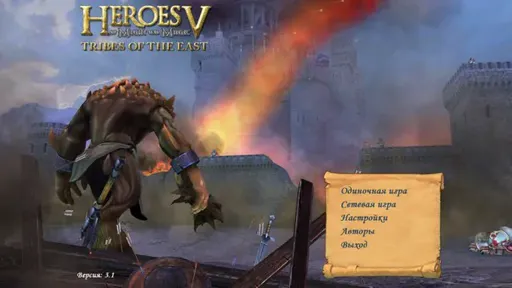 At a resolution of 1024x728, everything is fine. Update: The problem was solved by installing the EWA mod.

